
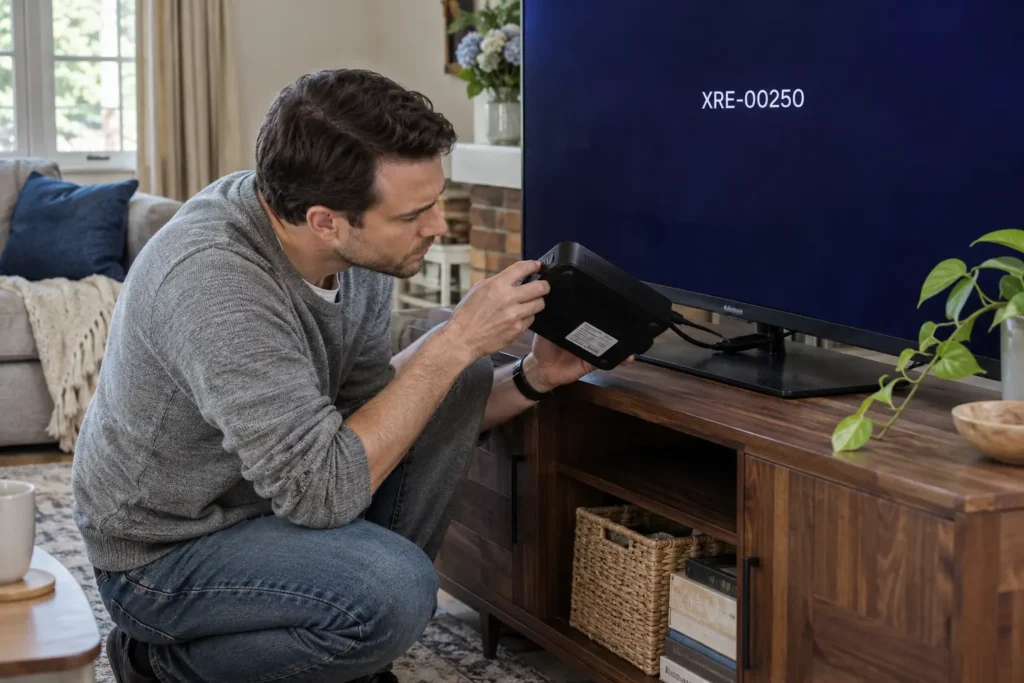
Xfinity says XRE-00250 appears when a device has been removed from the account. Its official guidance is to contact Xfinity for assistance. If you’re looking at the error now, call 1-800-XFINITY (1-800-934-6489) or start a chat with Xfinity. Ask support to check whether the serial number on the affected TV box is associated with your current service address and whether that box is active.
You can start the conversation as soon as you see the code. While you wait for an agent, take a photo of the error and find the label on the box connected to that TV. If you recently exchanged equipment, use the serial number on the box you’re trying to watch. A return receipt may identify the box you already handed back.
1. Confirm the error and identify which TV is affected
Read the full code on the screen. Xfinity’s message for XRE-00250 includes the words “Something is not quite right.” Copy the letters and all five digits or take a photo. If a different code appears, give support that exact code. Xfinity publishes separate guidance for errors that can look similar on screen.
Next, name the room where you saw it. If you have a second Xfinity box, turn on that TV and try a channel you normally watch. This quick check helps you describe the scope of the problem. In one documented case, a customer could watch the living-room TV while the office box showed XRE-00250. Xfinity’s support representative asked for the serial number of the box in the office.
| What you see | What to tell Xfinity |
|---|---|
| One box shows the code and another plays live TV | Identify the affected room and give the serial number from that room. Mention which room still works. |
| Two or more boxes show XRE-00250 | List the affected rooms and say whether the errors appeared around the same time. |
| A replacement box shows the code on its first startup | Tell the agent the replacement has never played TV and identify the box you returned. |
| A box you kept stops working after you exchange a different one | Make clear which box stayed in your home, which one you returned, and which one now shows the error. |
If you only have one TV box, you already have enough information to proceed. There’s no need to carry it to another room or disconnect a working device to reproduce the problem.
2. Find the model and serial number on the TV box
Start with the Xfinity box connected to the affected television. It’s easy to read the sticker on the back of the TV itself, especially when the box sits behind the screen. Support needs the identifier for the equipment delivering your Xfinity TV service.
Look for the equipment label and take a clear photo if the print is small. The model identifies the type of box. The serial number, often marked S/N, identifies your individual unit. Two boxes of the same model can look identical and still have different serial numbers. An Xfinity employee confirms that the equipment sticker provides the serial number and generally identifies the model as well. Xfinity Community Forum
If you have Xfinity X1 and can still open its menus, go to Settings → About to find the model number. If the error blocks the menu, use the physical label. If the box is mounted out of reach, start the support conversation with the details you can see and ask how else the agent can identify it.
3. Check the service address and recent account changes
Sign in to Xfinity on your phone or computer and check the service address. This matters particularly after a move or if you manage service for two homes with one Xfinity ID. On the website, open the account icon, choose Switch account, select the relevant account, and choose Continue. In the Xfinity app, open the Account tab and scroll down to Switch Accounts if you have multiple linked accounts.
Review the TV service shown for that address and any recent order confirmation you have handy. If your account view shows equipment details, compare them with the physical box. A room name such as “Living Room” is a helpful clue, but the serial number is the detail to verify after a swap. If you can’t see an equipment list, skip that check and ask the agent to look up the box.
Account and equipment checklist
| Have this ready | Why it helps |
|---|---|
| Service address, including apartment or unit | Identifies where the box should receive service, especially after a move. |
| Room, box model, and serial number | Lets the agent check the individual device showing the error. |
| When TV last worked and when the error first appeared | Distinguishes a box that stopped working from one that never finished setup. An approximate time is fine. |
| Recent exchange, move, installation, or plan change | Gives support a specific order or event to review. Include its date if you know it. |
| Order confirmation or return receipt, if available | Helps distinguish the equipment you received, returned, and kept. |
| Result from another TV box, if you have one | Tells the agent whether you can still watch TV elsewhere in the home. |
For a move, give the date you expected TV service to begin at the new address. For a plan change, explain which TV service and equipment you expected to keep. If nothing changed on your end, say when the box last worked. The error identifies a removed device, but the screen alone can’t tell you why the account record changed. Something is not quite right
4. Ask Xfinity to verify the box and its activation
In chat or on the phone, lead with the code, the affected box, and the account check you need. Xfinity Assistant can guide you through troubleshooting or connect you with an agent. If the automated conversation offers broad TV troubleshooting, enter the exact code and ask for help verifying the equipment on your account.
Sample support message
My bedroom TV box shows XRE-00250. It last worked on [day/time], and my living-room box still works. The affected box is model [model], serial number [serial]. Could you check whether that serial number is associated with my current service address and whether the box is active? I recently [moved/exchanged a box/changed my plan].
Use just the parts that apply. Share the full serial number and service address in a private support conversation. If you’ve already contacted Xfinity, include the case number so the agent can review what happened during the earlier attempt. Xfinity’s support team has requested device serial numbers through private messaging when investigating this code.
Before ending the conversation, ask what the agent found for your specific serial number, what you should see next on the TV, and when to follow up if the screen stays the same. If the proposed fix involves ordering equipment or changing your plan, ask which box the order covers and whether it changes your monthly charge. That’s especially useful when the affected box is one you intended to keep.
5. Follow the activation prompts and test TV service
If Xfinity confirms the account record and directs you to activate an X1 TV Box, follow the prompts on the television. Some X1 boxes can take up to 10 minutes to activate. Once activation finishes, the Xfinity button gives you access to the guide and other available features. That timing applies to X1 activation after it begins. Ask the agent separately when any account correction should take effect.
If you received several X1 boxes in a Getting Started Kit and support asks you to complete installation, Xfinity directs customers to connect the primary TV box first. If you’re unsure which one that is, give the agent the model numbers before you start.
Test service on the television that originally showed the error:
- Tune to a live channel included in your plan. Choose one you watched before the problem so a subscription restriction won’t confuse the result.
- Open the guide and change channels. A welcome screen disappearing tells you the box moved forward. Seeing and hearing a second channel confirms you can actually use it.
- Repeat the activity that first failed. If you first saw the code when opening a recording or an included On Demand program, try that activity again.
- Report any remaining symptom precisely. “Live TV works, but this recording gives me a different code” gives the agent a clearer next step than “the TV still doesn’t work.”
What if XRE 00250 comes back?
Record the time the code returned and whether the box played TV between support contacts. There’s a meaningful difference between “the error never cleared” and “I watched two channels for an hour, then the same code returned.” Give the next agent that detail, the serial number, and the previous case reference.
If the same box is affected, ask support to confirm that its serial number is still active at the correct address and review any recent equipment order. If the error has moved to another TV, identify that box separately. This is especially important after an exchange, when a successful test on the replacement can leave a problem on a box in another room undiscovered.
Frequently asked questions
Should I restart or factory-reset my Xfinity box first?
You can contact Xfinity immediately. Its instructions for this particular code direct you to support. If an agent recommends a restart after checking your account, ask which box to restart. An X1 System Refresh is a separate action that can interrupt every X1 box and recordings in the home for up to 10 minutes.
Does XRE-00250 mean I missed a payment?
The code alone doesn’t establish that. Xfinity defines it as a device removal and publishes separate guidance for a nonpayment disconnect. If you see a billing notice as well, mention both items and ask the agent to explain how they apply to your account before making a payment to restore TV service.
Can I watch TV while Xfinity checks the box?
If your subscription includes access, try Xfinity Stream on a supported device. Connect to your home Xfinity network for the fullest available lineup. Channel availability can change away from home, and streaming over cellular can use your mobile data allowance. If you watch on an iPhone, you can check how much cellular data each app has used.
Do I need to replace the box?
Xfinity’s first step for XRE-00250 is an account check through support. Keep the box available so the agent can identify it and you can test it. If Xfinity recommends an exchange, confirm the serial number of the unit to return, particularly if you have several similar boxes. Something is not quite right
Final Words
The most useful detail you can give Xfinity is the serial number from the box showing XRE-00250. Pair it with your current service address and the time the problem began. Once support checks the account and activation, tune to a familiar channel on that same box before closing the chat or ending the call.