
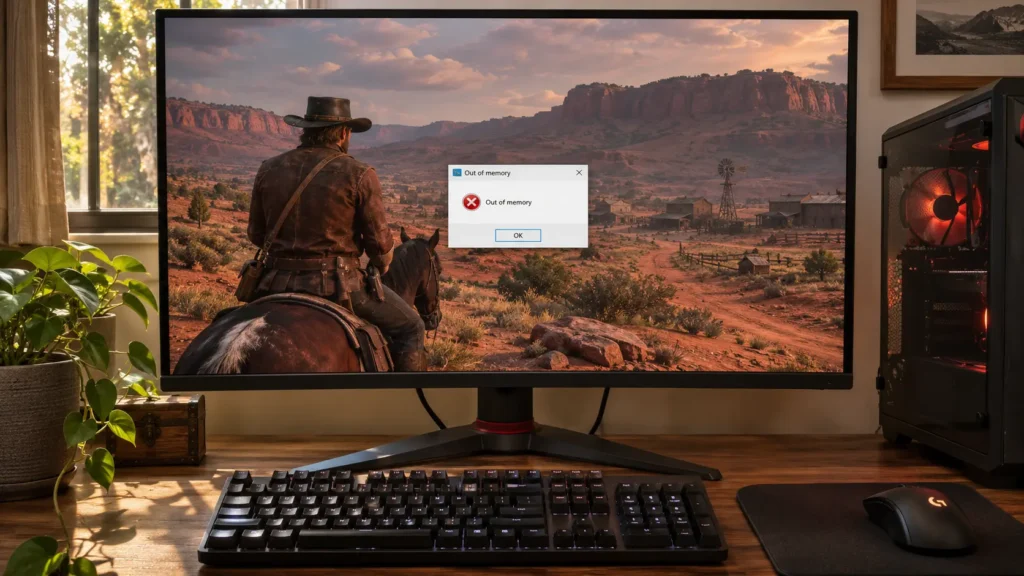
Does Red Dead Redemption 2 crash before the main menu, while loading a particular save, or after half an hour of riding? A photo of the message and the name of the last setting you changed can save you several rounds of troubleshooting.
If the code is ERR_GFX_D3D_DEFERRED_MEM, start with the graphics driver. Rockstar identifies an outdated driver as the usual cause. Restart your PC, try the game with unnecessary apps closed, and check for a supported driver for your graphics card. If the crash continues, Rockstar recommends checking the hardware requirements and lowering graphics settings until the in-game Video Memory meter sits around two-thirds full. If your code is ERR_GFX_INIT or ERR_GFX_STATE, use the graphics startup section below.
Quick diagnosis by symptom
| What happens | What to check first | How to test it |
|---|---|---|
ERR_GFX_D3D_DEFERRED_MEM appears on an otherwise unchanged PC |
Graphics driver version | Install the supported driver, restart, and load the same save. |
| The error began after raising texture quality or resolution | The setting you changed and the in-game Video Memory meter | Restore the previous value and revisit the same location. |
| The game crashes after a long session | Windows Committed memory and dedicated GPU memory | Record both near the start and shortly before the usual crash time. |
ERR_GFX_INIT or ERR_GFX_STATE appears before gameplay |
Graphics driver and the selected graphics API | Try Rockstar’s code-specific Vulkan or DirectX 12 steps below. |
| One mission repeatedly crashes after an interrupted update | Installed game files | Verify the installation, then replay the same checkpoint. |
| Crashes began after adding a mod or enabling an overlay | The most recent addition | Disable it and repeat the test in Story Mode. |
Check what memory your PC actually has
Press Ctrl + Shift + Esc to open Task Manager. Choose Performance. On Windows 10, you may need to select More details first. Open Memory to see installed RAM, then select GPU to identify your graphics card. If you see GPU 0 and GPU 1, read their model names. The numbers alone don’t tell you which one is the gaming GPU. DirectX Developer
| PC component | Rockstar minimum | Rockstar recommended |
|---|---|---|
| System RAM | 8 GB | 12 GB |
| NVIDIA graphics | GeForce GTX 770, 2 GB | GeForce GTX 1060, 6 GB |
| AMD graphics | Radeon R9 280, 3 GB | Radeon RX 480, 4 GB |
| Processor | Intel Core i5-2500K or AMD FX-6300 | Intel Core i7-4770K or AMD Ryzen 5 1500X |
| Operating system and storage | Windows 10 64-bit, 150 GB | Windows 10 64-bit, 150 GB |
These are Rockstar’s published specifications. Check the GPU model as well as its memory capacity, especially on a laptop. Rockstar notes that some integrated and mobile graphics hardware may be incompatible.
Three readings can help you decide what to change:
- System RAM is the working memory shared by Windows, RDR2, and your other apps. Look at Performance → Memory → Available while the game is running. On an 8 GB PC, closing a browser with dozens of tabs is a worthwhile first test.
- Video memory, or VRAM, holds graphics data such as textures. Under Performance → GPU, look for Dedicated GPU memory on your gaming card. Windows lists Shared GPU memory separately because the GPU can also use some system RAM.
- Committed memory tells you how much memory Windows has promised to software. In Performance → Memory, a reading such as 15.8/16.0 GB means the whole system is close to its current limit. RAM and the Windows page file determine that limit. This is the reading to check before changing virtual memory settings. Microsoft Learn
If the error names memory, check the graphics driver
Save your work and restart the PC. Launch RDR2 with your usual launcher, leaving the browser, video editor, and recording software closed for this run. If the same error returns, open Device Manager → Display adapters, double-click your gaming GPU, and record the version under Driver. That gives you a reference if the update changes the result.
For NVIDIA GeForce, use the NVIDIA App or NVIDIA’s driver download page. If searching manually, select your exact GPU and Windows version. For a gaming PC, choose the supported Game Ready Driver when one is offered. AMD Radeon, use AMD’s Auto-Detect and Install tool on a supported Windows system. For an older Radeon card, use AMD’s product selector to find its last supported driver. Restart after installation and replay the same scene before adjusting graphics quality. NVIDIA
Did the crashes begin immediately after a driver update? That timing calls for a different test. In the GPU’s Driver tab, select Roll Back Driver if available, restart, and try the previously stable save. Rollback requires administrator access. A greyed-out button means Windows has no previous driver available there. Record which version works so you can give support a specific result.
If the crash followed a graphics change, restore that setting first
From the Story tab, open Settings → Graphics. Take a screenshot of the current settings and look at the Video Memory meter on the left. Rockstar suggests starting around 66% for this error. On a card showing 6 GB available in the menu, that works out to roughly 4 GB on the meter. Treat it as a starting point for testing, rather than a guarantee that every scene will run.
If you remember what changed, undo it first. For example, if the game ran for weeks at 1080p and started crashing after you selected 1440p, restore 1080p. Leave texture quality alone for that run. If you changed several options and lost track, lower Texture Quality by one level, apply the change, and check how far the meter moves. Try resolution in a separate run if you still need more room.
Use the location that exposed the problem. A successful minute at the main menu tells you little about a crash that happens when riding into Saint Denis. Load the same Story Mode save, follow the same route, and pass the point where the error normally appears. If a setting costs visual quality without improving stability, restore it from your screenshot.
If the crash takes time, watch Windows memory and check the page file
Open Task Manager before launching RDR2. Record Memory → Committed and your gaming GPU’s Dedicated GPU memory after loading the save. Check again near the usual crash time. A second monitor makes this easier, but you can also use Alt + Tab at a safe point in Story Mode. Taking the reading while the game is still open matters because memory can be released as soon as it closes.
Suppose the game usually closes after 25 minutes. If committed memory is approaching its limit by minute 20, open Processes, sort by Memory, and identify a large app you can close normally. Repeat the route with that app closed. If committed memory has room but dedicated GPU memory is nearly full, the in-game texture and resolution tests are a better use of the next run.
Restore automatic page-file management
Check this setting if committed memory approaches its limit, especially if you previously followed a tuning guide that disabled the page file or set a fixed size. Microsoft explains that the appropriate size depends on the workload and that a system-managed page file needs disk space to grow. Increasing it gives Windows more room for committed memory. It cannot add dedicated VRAM to a graphics card.
- Search Start for View advanced system settings and open it.
- Under Advanced → Performance, choose Settings.
- Open Advanced → Virtual memory → Change. Take a screenshot of the current configuration.
- If automatic management is off, select Automatically manage paging file size for all drives, confirm, and restart. If it is already on, leave it enabled.
- Check free space on the drive that hosts the page file, commonly C:. This matters even if RDR2 is installed on another drive. If space is tight, review Teche Time’s guide to using Disk Cleanup safely.
If RDR2 crashes before the menu, check Vulkan or DirectX 12
Vulkan and DirectX 12 are two ways the game communicates with your graphics driver. Rockstar documents switching APIs for specific graphics errors. For ERR_GFX_STATE, its guidance includes trying DirectX 12 from Vulkan. If you can reach the menu, go to Settings → Graphics → Advanced Settings, choose Unlocked, change Graphics API, and restart. Record the original selection so you can switch back.
For ERR_GFX_INIT, a startup crash may prevent you from reaching that menu. Rockstar also documents changing the API in system.xml. Back up the configuration first.
- Close RDR2 and the Rockstar Games Launcher. In File Explorer, open Documents → Rockstar Games → Red Dead Redemption 2.
- Copy the entire Settings folder somewhere outside the game folders. Give the copy a dated name. Leave Profiles alone. For longer-term protection against overwritten files, see a guide to backups and version recovery.
- Open the original Settings → system.xml in Notepad. Find
kSettingAPI_Vulkanand change it tokSettingAPI_DX12to test DirectX 12. To test Vulkan from DirectX 12, reverse the change. Save the existing file. - Rockstar’s procedure also clears files beginning with
sga_from Settings. Move only those files to a temporary folder outside the game folders. This removes the old graphics caches from use and lets the game rebuild them on launch. - Launch the game. If the result gets worse, close the game and launcher, move the test Settings folder aside, and put your original backup back under the name Settings.
If one mission crashes or an update was interrupted, verify game files
Use the launcher where you own RDR2. Verification checks the installed game data and can repair damaged files. If you manually modified original game files, back up those changes first because verification can replace them.
| Launcher | Where to find verification |
|---|---|
| Steam | Right-click RDR2 in Library → Properties → Installed Files → Verify integrity of game files. |
| Epic Games | In Library, select the game’s … → Manage → Verify. In Launcher Preview, open the game’s page first and use the … beside Play. |
| Rockstar Games Launcher | Open Settings, select RDR2 under My installed games, and choose Verify Integrity. |
Wait for verification and any repair download to finish. Replay the checkpoint with the same graphics settings. If another save works and the original still fails at precisely the same moment, keep both saves and include that detail in your support request.
If crashes began after adding a mod or overlay
For a modded Story Mode installation, back up your save and disable the newest mod through its manager or the author’s removal instructions. Load a separate test save if the mod affects saved content. Avoid saving over your main slot during the test. A recently added texture pack is a sensible first candidate when the crash began immediately after installation. Community mod authors also describe resource pressure in heavily modified installs.
Players in an RDR2 Steam Community discussion suggest disabling overlays when investigating this error. That is a community-reported test. If you enabled a performance overlay or gameplay recorder just before the first crash, turn off that one feature, restart the game, and repeat the route. Switch it back on if the behavior stays the same.
Checklist for confirming the fix
- Record the error code, save slot, location, and usual time to failure.
- Change one item and write down its previous value.
- Load the same save and reproduce the same route, mission, or startup sequence.
- Play past the usual failure point. For an intermittent crash, repeat after another launch.
- If the error persists, record the result and undo ineffective optional changes. Give Rockstar Support the code, GPU model, driver version, and shortest sequence that reproduces the crash.
FAQs
Can RDR2 show an out of memory error with 16 GB or 32 GB of RAM?
Yes. Both amounts exceed Rockstar’s 12 GB recommendation for system RAM, but the graphics driver and the card’s available video memory still matter. For ERR_GFX_D3D_DEFERRED_MEM, check the driver and the game’s Video Memory meter before buying more RAM.
Should I use Vulkan or DirectX 12 for RDR2?
If the game was stable before an unrelated change, keep the working API while you test that change. For ERR_GFX_STATE on Vulkan, Rockstar specifically suggests trying DirectX 12. For a graphics initialization failure, it documents switching in either direction. The useful result is whether the same startup or save succeeds on your PC.
Will verifying RDR2 delete my saved game?
Epic explicitly says verification leaves saved data intact. The command checks installation files. If you use mods, keep a separate backup of your saves and modified files, since the launcher can repair files that differ from its expected copies.
Final words
The best clue is often the last thing that worked. If yesterday’s save still loads at the old texture setting, you have a practical fix you can use immediately. If the Red Dead Redemption 2 out of memory error persists, a repeatable crash at a specific checkpoint, with a known driver version and memory reading, gives support something concrete to investigate.