
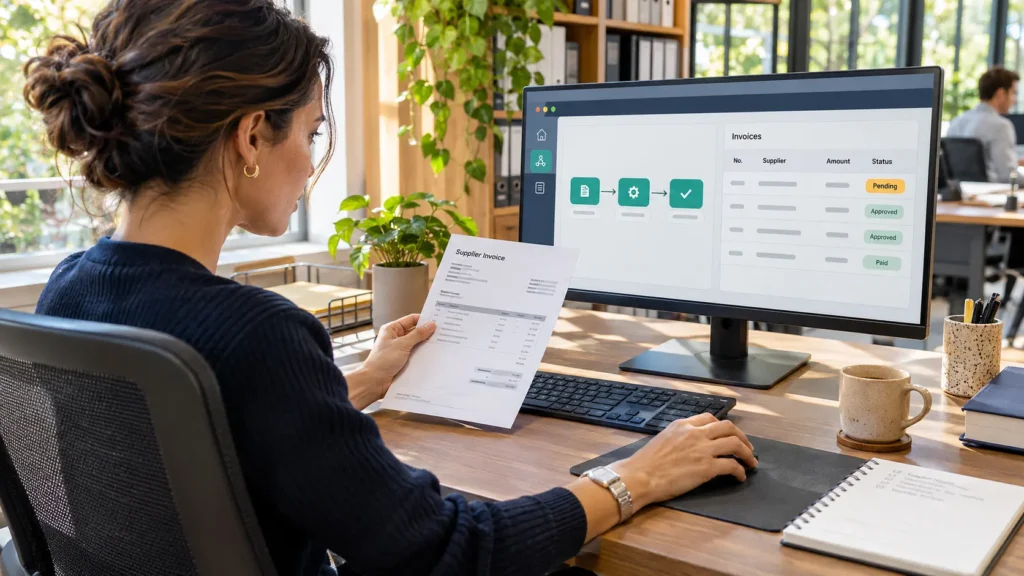
If an accounts clerk spends every morning copying approved invoices into an accounting system, the first question is whether that system can import the invoices directly. It can, use the import. If the clerk still has to open a supplier portal, select a company, and fill in a desktop form, robotic process automation tools can take over those repeatable steps.
Which tool should you try first? Microsoft Power Automate is a practical starting point for a Windows team automating work at someone’s desk. UiPath belongs on the shortlist when several departments need to assign work to people and bots and track exceptions centrally. SAP Build Process Automation is worth testing when the task sits inside an existing SAP approval process. The deciding test is whether the tool can finish your work accurately, recover from an interruption, and do both at a cost the workload justifies. Microsoft · UiPath · SAP
Which business tasks are good candidates for RPA?
An RPA bot is software that follows a sequence of actions in business applications. It can open a record, read a field, apply a rule, enter a value elsewhere, and record the result. A good first task has a clear trigger, a reliable way to identify each record, and an outcome someone can check independently.
| Business task | Steps to automate | When a person should step in |
|---|---|---|
| Enter approved invoices | Read supplier ID, invoice number, currency, and total. Create a draft and save its reference. | The supplier is unknown, the total differs from the approval, or the invoice already exists. |
| Update customer records | Match an approved change to a customer ID and update the corresponding billing address. | Two accounts share the identifier, or someone edited the record after approval. |
| Prepare a scheduled report | Download the day’s transactions, validate the reporting date, total the rows, and deliver the file. | An export is late or incomplete. A blank file must never become a report showing zero sales. |
| Transfer approved leave to payroll | Match employee IDs and copy approved hours into the correct pay period. | Approval arrived after cutoff or the request overlaps an existing entry. |
Before automating any of these, watch an experienced employee handle a difficult case. A written procedure might say “match supplier by name” while the clerk actually checks a supplier ID and legal entity whenever two names look alike. Capture that rule before recording the clicks. For related examples of how records move between systems, see guide to choosing ERP software and guide to payroll and leave workflows.
How an invoice moves through an automation
Start with the source. If the supplier portal offers an approved application programming interface (API), the workflow can request invoice fields directly. A connector packages that exchange into actions a workflow builder can use. Where the only input is a scanned PDF, optical character recognition (OCR) reads the text. Document-processing software can then identify which number is the invoice total and which is the outstanding balance.
Those two amounts can be identical on most invoices and different on a credit-adjusted one. An AI extraction model can propose a value, but the workflow still needs a business rule. Check currency, supplier ID, and the total against the approved purchase record. Send discrepancies to a reviewer with the original document and the disputed field visible. An AI step adds little when the source already provides clean, labelled data. UiPath document-processing and orchestration capabilities
A visual workflow builder lets the author arrange actions, conditions, and error paths on a canvas. For the final desktop step, target the accounting application’s named invoice field where possible. A recording that clicks a fixed position may hit the wrong control on another display. Microsoft specifically documents that unattended sessions can open at a different resolution and hide an element that was visible during development. Microsoft’s unattended display guidance
Attended or unattended?
Choose attended automation when an employee starts the task in their session and can resolve a question immediately. A customer-service agent might select a verified account, run an address update, and see confirmation before finishing the call.
Choose unattended automation when the work should start on a schedule or from a queue without someone at the keyboard. An overnight invoice run needs an authorised account, an available machine, and a named person to handle exceptions the next morning. Schedule the run against the source system’s actual cutoff and time zone. A bot that finishes punctually using yesterday’s export still delivers the wrong report.
Three RPA tools worth shortlisting
Microsoft Power Automate for Windows-based teams
Power Automate combines cloud flows and connectors with desktop automation. A finance team could pick up a file through a cloud flow and use a desktop flow for the last step in an older Windows application. Premium covers attended desktop use. Process adds unattended execution, while Hosted Process includes a Microsoft-managed virtual machine. In a demo, run the task using the same Windows setup, permissions, and application version employees use. Microsoft Power Automate pricing and features
UiPath for teams coordinating several workflows
UiPath Basic supports personal automations at limited scale. Standard adds enterprise automation, document extraction, and coordination across robots and people. This matters when a finance clerk reviews a discrepancy and another team owns the eventual posting. Ask the vendor to demonstrate a reviewer correcting one field, resuming that invoice, and locating its final accounting reference. That exercise shows how much investigation the operations team will inherit.
SAP Build Process Automation for SAP approval workflows
Consider SAP when employees already approve work in SAP and a desktop step breaks the sequence. A buyer might approve a purchase request, after which an automation enters its reference in a supplier application. Have IT join the pilot. SAP documents a desktop agent for each session used for unattended jobs and a separate agent service. Include installation, updates, and machine ownership in the implementation estimate.
RPA pricing and the cost of running a bot
Public pricing checked on 19 November 2026. The figures below are US-dollar reference prices. The unit matters because a developer building a flow, an employee approving a task, and a bot running overnight may require different entitlements.
| Tool or plan | Published price | What to budget for |
|---|---|---|
| Microsoft Power Automate Premium | USD 15 per user/month, paid yearly | Attended desktop flows and cloud flows. |
| Microsoft Power Automate Process | USD 150 per bot/month, paid yearly | Unattended execution. Budget separately for the machine. |
| Microsoft Power Automate Hosted Process | USD 215 per bot/month, paid yearly | Unattended execution with a Microsoft-hosted virtual machine. |
| UiPath Automation Cloud | Basic starts at USD 25/month. Standard and Enterprise require a quote. | Basic has limits on users and robots. Request a quote covering document volume, developers, and production runs. |
| SAP Build Process Automation | Request a deployment quote. SAP lists a base user at USD 3.46 per active user/month for access and approvals. | Price developer access and unattended capacity separately from approval users. |
Size execution capacity around the busiest window. If 120 invoices each need three minutes in a desktop session, that is six machine-hours. A two-hour deadline requires at least three simultaneous sessions before allowing for sign-in, retries, or downtime. Ask how the licence handles that concurrency. Also request separate figures for building and testing, orchestration (assigning and monitoring jobs), document processing, implementation, support, and maintenance after the first application update.
What changes by country?
Start with the local storefront. Microsoft’s UK page lists Premium at GBP 11.50 per user/month, paid yearly, excluding VAT. Request a quote in your billing currency that identifies tax, contract length, and the local partner responsible for installation and support. Ask who will answer a failed-run alert during your working hours.
Check availability for the exact service. Microsoft lists Singapore hosted machines for allowlisted tenants only and says hosted machines are unavailable in sovereign clouds. UiPath lists European hosting for Basic, with broader region choices on higher tiers. Ask where invoice files, execution logs, and document extraction are processed. For multilingual teams, test both the interface and a real document. Power Automate for desktop supports display languages including French, German, and Korean. Reading a local invoice layout is a separate test.
A small RPA pilot you can measure
Use one supplier, one accounting application, and a test environment. Give the bot permission to create drafts and keep payment approval with finance. Agree beforehand on what counts as a correct result and who decides whether to expand.
- Time the manual process for a representative batch. Include lookup, entry, checking, and corrections.
-
Prepare expected results for 100 invoices. Include a duplicate, a credit note, a missing supplier ID, and an unfamiliar currency.
-
Interrupt a run just after the accounting system saves a draft. On restart, check for the existing supplier-and-invoice reference before allowing another write.
-
Reconcile every input to a correct draft or a documented exception. Check the destination fields independently of the bot’s success log.
-
Assign an alert owner, record time spent reviewing exceptions, and rerun the test after an application update.
Illustrative results: Suppose employees previously spent four minutes per invoice, or 400 minutes for the batch. The bot creates 90 drafts. Independent review finds 89 correct and one with the wrong currency. It also routes ten invoices to staff. Accuracy among automatic drafts is 89/90, or 98.9%. The share of all invoices completed correctly without intervention is 89/100, or 89%. Reporting both figures keeps the ten referrals visible.
If checking, correcting, and handling exceptions takes 80 minutes, and maintenance attributable to the batch takes 40, the net saving is 280 minutes, or four hours and 40 minutes. Record initial development separately to estimate payback. Despite the time saving, a wrong currency deserves a fix and another test before live posting. It is exactly the kind of error a fast, apparently successful run can conceal.
FAQs
Do you need to know how to code to use RPA?
A beginner can build a short attended flow with a visual editor. The harder part is describing what should happen when an account is missing, the application times out, or a record already exists. For an unattended process that writes financial or employee data, involve the application owner in testing and recovery.
Can RPA work with remote desktops or older applications?
Sometimes. Test the exact access method used in production. A field visible in a local browser might appear only as pixels through a remote desktop. Ask the vendor to demonstrate field selection, scrolling, and recovery after reconnecting in your environment before you buy.
How should we monitor a bot after launch?
Track the last successful business transaction, the oldest waiting item, and unresolved exceptions. A scheduler can report a completed run even when the source supplied an empty file. Give someone responsibility for checking expected volume and reconciling destination records after changes to either application.
Final Words
Take one awkward handoff to the vendor demo. Bring an ordinary record, one your best clerk would question, and one that has already been entered. Watch where each ends up and what evidence the operator can see. The tool worth buying is the one your team can run, check, and repair within the time and budget the task actually saves.