
Choosing good ERP software sounds straightforward until you start comparing systems. Almost every provider promises better inventory management, accurate financial reporting, automated workflows, and a single place to manage business operations.
The difficulty is figuring out which software can actually handle the way your business works.
Imagine a distributor receiving an order for 200 products. The sales team accepts it, the warehouse discovers that 35 items are unavailable, and accounting issues an invoice for the entire order. Three departments are working with different information, and someone has to sort out the discrepancy.
A well-configured ERP system should prevent this kind of confusion by connecting sales, inventory, purchasing, and accounting through shared records.
But not every ERP handles partial deliveries, inventory reservations, returns, or complex pricing equally well.
Good ERP software is software that handles your everyday operations reliably, gives employees accurate information, and supports growth without creating unnecessary complexity.
This guide examines ERP software options, their strengths and limitations, what businesses should expect to pay, and the practical tests that help distinguish a suitable system from an expensive mistake.
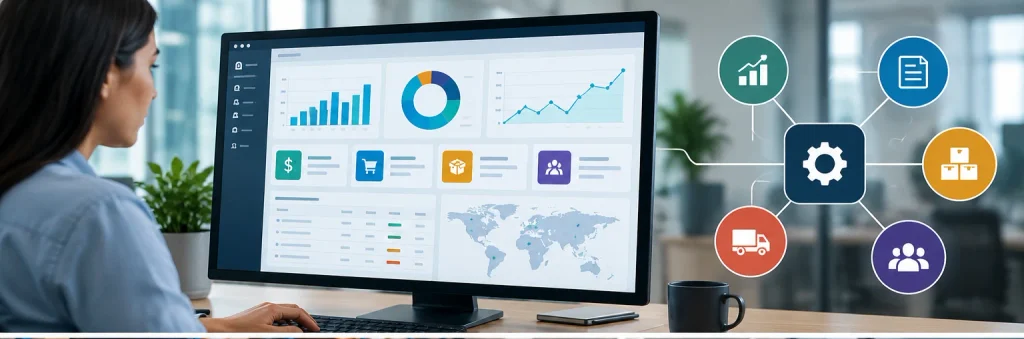
Illustration: A connected ERP system brings operational and financial information into a shared business environment.
What Is ERP Software, and What Makes It Good?
ERP stands for Enterprise Resource Planning. It describes software that connects essential business processes, usually through shared data and coordinated workflows.
Rather than maintaining separate systems for accounting, purchasing, inventory, and production, businesses can manage these functions within one integrated environment.
For example, when a customer places an order, an ERP system can check inventory availability, record the sales order, support fulfillment, generate an invoice, and update the accounting records.
That is the basic idea. The harder part is handling everything that happens when an order doesn’t follow the expected path.
What if the customer changes the quantity? What if the supplier delivers only half the stock? What happens when an invoice is issued in another currency?
These exceptions reveal much more about ERP quality than a polished dashboard.
Six characteristics of good ERP software
| Characteristic | What it means in practice |
|---|---|
| Integrated information | Sales, purchasing, inventory, and finance use consistent records. |
| Reliable workflows | Normal transactions and exceptions can be processed without excessive manual corrections. |
| Useful reporting | Users can trace figures back to their underlying transactions. |
| Flexible configuration | Approval rules, permissions, documents, and workflows can be adapted without unnecessary custom development. |
| Appropriate scalability | The system can accommodate additional users, locations, products, and transactions. |
| Long-term maintainability | Updates, integrations, support, and data access remain manageable over time. |
A useful distinction: having more features does not automatically make an ERP better.
A small trading business may need excellent purchasing, stock management, and accounting. Advanced factory scheduling could add cost and complexity without solving any of its problems.
A manufacturing company, meanwhile, may consider production planning essential rather than optional.
The right ERP depends on what the organization actually does.
Best Good ERP Software Options Worth Considering in 2026
There is no universally best ERP product. Different systems are built around different business models, technical expectations, and implementation budgets.
The following platforms are credible starting points for businesses evaluating ERP software worldwide.
| ERP software | Particularly suitable for | Main advantage | Potential limitation |
|---|---|---|---|
| Odoo | Small and growing businesses | Broad collection of connected business applications | Edition, hosting, customization, and integration choices need careful review |
| ERPNext | Smaller organizations seeking open-source ERP | Flexible, open-source foundation | Requires technical administration or a dependable implementation partner |
| Microsoft Dynamics 365 Business Central | Small and midsize organizations | Strong financial and operational management with Microsoft integrations | Complex requirements may need extensions or partner development |
| Oracle NetSuite | Growing and multinational businesses | Financial management and multi-entity operations | Licensing and implementation can become substantial investments |
| SAP Business One | Small businesses with purchasing, sales, and inventory needs | Established business-management capabilities | Implementation quality and extensions depend heavily on the partner |
| Acumatica | Distribution, manufacturing, construction, and services | Industry-oriented editions and adaptable workflows | Editions and optional capabilities require detailed evaluation |
| Epicor Kinetic | Discrete and make-to-order manufacturers | Specialized production and manufacturing operations | May be excessive for straightforward service or trading businesses |
| Infor CloudSuite | Industry-specific manufacturers and distributors | Workflows tailored to particular industries | The correct industry suite and deployment scope matter |
| Oracle Fusion Cloud ERP | Large and complex organizations | Financial control, procurement, projects, and enterprise governance | Greater implementation and organizational demands |
| SAP Cloud ERP | Midmarket and enterprise organizations | Extensive integrated finance and supply-chain processes | Standardization and process change may require significant effort |
These are fit-based recommendations, not a universal ranking. Capabilities also depend on the edition, licensed modules, country, implementation, and integrations.
1. Odoo — a flexible choice for growing businesses
Odoo is worth examining when a business wants to manage several departments without buying completely separate software products.
Its application portfolio includes CRM, sales, accounting, inventory, purchasing, manufacturing, eCommerce, and point of sale.
Consider a business that sells products online, through a physical store, and to wholesale customers. Odoo can provide a connected foundation for these activities.
Its modular approach is appealing because companies can begin with selected functions and expand their ERP usage.
The caution concerns implementation choices.
A company may initially believe that it only needs inventory and invoicing, then discover requirements for marketplace integrations, localized accounting, barcode workflows, or customized reporting.
The distinction between Odoo’s Community and Enterprise offerings, as well as its different subscription plans, becomes relevant at that point.
Odoo advertises a One App Free option, but this should not be confused with unlimited free access to every ERP application.
Practical recommendation: Test Odoo using your actual products, price lists, tax requirements, and order-processing rules before deciding which edition or plan fits.
2. ERPNext — a strong option for businesses considering open-source ERP
ERPNext provides open-source ERP functionality across accounting, manufacturing, sales, purchasing, stock, projects, CRM, and other business processes. Its documentation identifies the platform as GPLv3-licensed open-source software.
That makes it attractive to organizations that value access to the software’s source code and flexibility over hosting and customization.
For instance, a small manufacturer with an internal development team could investigate ERPNext for managing materials, production orders, inventory, and financial transactions.
The software license is only part of the decision.
Even when software is available without a traditional proprietary license fee, somebody must configure it, maintain the environment, manage security, test updates, and support employees.
Practical recommendation: Compare the total cost of self-hosting, managed hosting, technical support, and customization rather than assuming open-source means cost-free.
3. Microsoft Dynamics 365 Business Central — a practical midmarket contender
Microsoft Dynamics 365 Business Central supports finance, purchasing, inventory, sales, project management, warehousing, and manufacturing-related processes.
It also integrates with Microsoft’s wider business ecosystem, including Microsoft 365 and Power Platform tools.
This can make sense for organizations whose employees already rely heavily on Excel, Outlook, Teams, and Microsoft-based reporting tools.
Imagine a wholesale business with several warehouses, multiple purchasing managers, and a finance team that needs more reliable stock valuation and monthly reporting.
Business Central deserves consideration because these processes sit close to its core functionality.
However, buyers should not assume every advertised manufacturing or warehouse feature is included in every license.
Practical recommendation: Ask the vendor to separate standard functionality, license-dependent functionality, extensions, and custom development in the proposal.
4. Oracle NetSuite — suitable for growing and multi-entity operations
NetSuite is particularly relevant when financial and operational complexity increases as a business grows.
It supports accounting, inventory, orders, procurement, supply chain activities, and multi-entity operations. Its OneWorld capabilities address multiple currencies, subsidiaries, and financial consolidation.
Consider a company operating several subsidiaries across different countries.
Managing intercompany transactions, financial reporting, and consolidation through disconnected accounting applications can become increasingly difficult.
NetSuite may be a good fit where these requirements are central to the business.
Its limitation is not simply the subscription price. The overall expense can include optional modules, implementation services, integrations, and ongoing administration.
Practical recommendation: Request a multi-year cost proposal based on the number of users, entities, and modules you expect to need—not just the initial rollout.
5. SAP Business One — an established option for smaller product businesses
SAP Business One focuses on small-business requirements such as accounting, purchasing, inventory, sales, customer relationships, and reporting.
Good ERP Software for Small Businesses
It is worth evaluating for businesses that have moved beyond basic bookkeeping and now need stronger control over stock and commercial operations.
For example, a distributor with thousands of product codes may benefit from a unified approach to purchasing, stock visibility, and invoicing.
One overlooked factor is the implementation partner.
The same ERP product can produce different results depending on configuration quality, training, documentation, and support.
Practical recommendation: Ask prospective partners to demonstrate their experience with organizations in your industry and region.
6. Acumatica — worth a close look for industry-specific operations
Acumatica offers ERP editions for general business, distribution, manufacturing, retail, construction, and professional services.
This matters because businesses in those industries often require more than standard bookkeeping and inventory features.
A construction firm, for example, may need cost codes, project commitments, subcontractor processes, retainage, and detailed project profitability.
A manufacturer may instead care about materials planning, production orders, and shop-floor activities.
Acumatica can be worth shortlisting when industry-oriented workflows are a priority.
Practical recommendation: Check which capabilities are included in the proposed edition and which require optional modules or third-party integrations.
7. Epicor Kinetic — a specialized manufacturing option
Epicor Kinetic is designed around manufacturing operations, particularly discrete and make-to-order production.
This makes it relevant when manufacturing requirements are too specialized for a simple inventory-oriented ERP.
Consider a company producing custom industrial equipment.
Each order may involve a different bill of materials, production routing, material requirement, and delivery schedule.
In that environment, manufacturing execution and production-cost visibility deserve serious attention.
The tradeoff is complexity. A powerful manufacturing system can impose unnecessary operational overhead on businesses that do not need its specialized capabilities.
Practical recommendation: Evaluate Kinetic against your most complicated production order, not your simplest finished product.
8. Infor CloudSuite — suited to industry-led ERP selection
Infor CloudSuite is a family of industry-oriented cloud solutions rather than one identical ERP package for every organization.
Its suites address sectors including manufacturing, distribution, food and beverage, and other specialized industries.
That approach can be valuable when industry requirements are difficult to recreate in a general-purpose system.
A food manufacturer, for example, may prioritize traceability, batch control, quality procedures, and shelf-life management.
A distributor may care more about customer-specific pricing, replenishment, and warehouse processes.
Practical recommendation: Evaluate the exact Infor industry suite and included modules, rather than relying on the broader CloudSuite name.
9. Oracle Fusion Cloud ERP — for complex financial and enterprise operations
Oracle Fusion Cloud ERP offers financial management, procurement, project management, enterprise performance management, and risk-related capabilities. Oracle also offers connected supply-chain and manufacturing applications within its Fusion suite.
It is a serious option for larger organizations managing complex reporting structures, procurement policies, and financial controls.
For example, a multinational business may need standardized approval workflows, consolidated financial reporting, and consistent procurement governance across subsidiaries.
The question is whether the organization has the resources and process discipline to implement and maintain an enterprise-scale system.
Practical recommendation: Include process ownership, change management, and country-specific requirements in the evaluation from the beginning.
10. SAP Cloud ERP — for organizations prioritizing standardization
SAP Cloud ERP, built around SAP’s cloud ERP offerings, supports core business functions including finance, procurement, sales, and supply-chain activities. Its offerings and user entitlements vary by package.
This makes it relevant to organizations that require consistent processes across departments, locations, and legal entities.
The difficult part is often deciding how much the company is willing to change its established processes to fit the system.
Extensive customization may preserve familiar workflows, but it can also increase implementation cost and future maintenance demands.
Practical recommendation: Identify essential process differences before implementation and challenge customizations that merely reproduce old habits.
Which ERP Software Is Best for Your Type of Business?
The most useful shortlist usually starts with your operational model, not company size alone.
| Business situation | Systems worth investigating | Main evaluation priority |
|---|---|---|
| Small retailer or trading business | Odoo, ERPNext, Business Central, SAP Business One | Purchasing, inventory, returns, accounting |
| Growing eCommerce operation | Odoo, Business Central, NetSuite | Sales-channel integrations, stock reservations, fulfillment |
| Wholesale distributor | Business Central, Acumatica, NetSuite, Infor | Multi-warehouse stock, pricing, replenishment |
| Make-to-order manufacturer | Epicor Kinetic, Acumatica, Infor | BOMs, routing, work in progress, job costing |
| Project-based service company | Business Central, Acumatica, NetSuite | Time, expenses, project profitability, billing |
| Multinational organization | NetSuite, Oracle Fusion, SAP Cloud ERP | Consolidation, intercompany transactions, local compliance |
These shortlists are starting points. A small factory can have more demanding ERP requirements than a much larger consulting firm.
That distinction is frequently missed when ERP recommendations are organized solely around employee count.
The ERP Features That Actually Matter in Daily Work
A long feature checklist may tell you that ten ERP products support inventory management.
It will not tell you which one handles your company’s inventory correctly.
The useful questions are more specific.
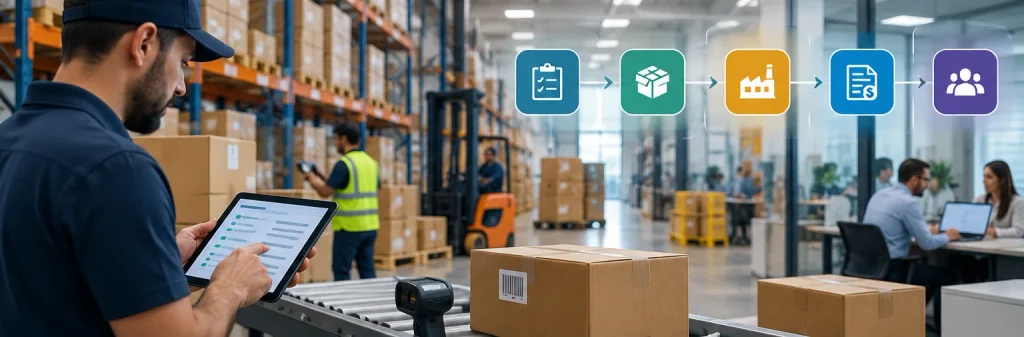
Illustration: ERP effectiveness depends on transactions moving reliably between the warehouse, purchasing, production, and finance teams.
Inventory management: accuracy is more valuable than a dashboard
A good inventory module needs to represent physical stock and business commitments correctly.
Suppose a warehouse contains 500 units. Of those, 150 are already allocated to customer orders, while another 40 are held for quality inspection.
The physically counted quantity is 500, but the quantity available for new orders may be only 310.
A system that simply displays 500 as available can create problems.
During an ERP demo, ask how the software handles reserved stock, partial deliveries, damaged goods, multiple locations, serial numbers, and units of measurement.
The real test is whether the system produces a dependable available-to-promise quantity, based on the rules your business actually uses.
Financial management: reports should be traceable
Most ERP solutions can produce a profit-and-loss statement.
The important question is whether finance users can investigate the transactions behind the figures.
Consider a purchasing invoice recorded in one currency, with freight expenses added later.
The ERP needs a consistent approach to currency conversion, inventory valuation, landed costs, and financial posting.
Different accounting methods and timing rules can affect the result.
Ask the provider to demonstrate reconciliation, adjustment entries, period closing, audit trails, and the controls that prevent unauthorized changes.
This becomes especially important in organizations with multiple finance users.
Manufacturing: a bill of materials is only the beginning
Manufacturing ERP evaluations often focus heavily on creating bills of materials.
A bill of materials describes the components required to produce an item, but real production introduces more complicated questions.
What happens when a component is substituted? Can the business record scrap? How are labor and machine costs captured? What happens when production quantities differ from the plan?
A system can support basic manufacturing orders without providing the scheduling, capacity planning, or detailed work-in-progress tracking that a particular factory needs.
Practical recommendation: Test a production order that includes a material shortage, substitute component, and unexpected scrap quantity.
Reporting and analytics: fast answers require clean data
ERP dashboards are useful when the underlying information is reliable.
They become misleading when employees use inconsistent product codes, duplicate supplier records, or incorrect transaction dates.
For example, a profitability dashboard may look impressive while excluding delivery charges, sales returns, or manufacturing overhead.
Ask how each metric is calculated and whether users can drill down into source records.
An attractive report should never substitute for a clear accounting or operational definition.
Security and permissions: convenient access can become a control problem
Permissions deserve attention early, especially where a person can create, approve, and pay the same supplier invoice.
A good ERP should support appropriate role separation, approval rules, and activity tracking.
The exact requirements differ by business size. A five-person company may have unavoidable overlapping responsibilities, while a larger organization may need strict separation of duties.
The goal is practical control, not complicated approval chains for their own sake.
How to Test ERP Software Before Buying It
A standard vendor presentation often follows an ideal workflow using perfectly prepared sample data.
That makes the product look smooth, but it leaves important questions unanswered.
A more useful evaluation asks the vendor to complete realistic transactions using sample data you have provided.
Seven ERP demo scenarios that reveal hidden weaknesses
| Test | Ask the vendor to demonstrate | What you should learn |
|---|---|---|
| Partial fulfillment | Sell 100 units when only 70 can ship | Whether backorders, inventory commitments, and invoices stay correct |
| Purchase costing | Receive imported goods with freight charges | How landed costs and inventory valuation are handled |
| Customer return | Return a damaged item after invoicing | How stock, credit notes, and accounting are adjusted |
| Manufacturing change | Replace a component during an active production order | How the software handles BOM changes and actual costs |
| Financial close | Attempt an adjustment to a closed accounting period | Whether permissions and period controls work |
| Multi-location transfer | Transfer stock between two warehouses | Whether in-transit quantities are represented correctly |
| Data export | Export products, customers, and transaction details | How portable your business information is |
A useful requirement is to have the provider complete the transactions without relying on screenshots, presentation slides, or vague promises about future customization.
Not every system must pass every test. A services-only company does not need to prioritize manufacturing functionality.
But a failure in a business-critical workflow should carry more weight than a dozen impressive optional features.
A simple ERP evaluation scorecard
One practical approach is to score potential systems using weighted criteria.
| Evaluation area | Illustrative weight |
|---|---|
| Core operational workflows | 30% |
| Industry-specific requirements | 20% |
| Local accounting and regulatory fit | 15% |
| Integrations and data migration | 15% |
| Ease of use and employee adoption | 10% |
| Cost, partner quality, and long-term support | 10% |
These weights are examples, not universal rules. A regulated manufacturer may assign greater weight to traceability, while a multinational business may prioritize financial consolidation.
Some requirements should be treated as pass-or-fail conditions rather than scored preferences.
For example, if legally required invoicing cannot be supported through an acceptable solution, a strong overall score should not rescue the product.
How Much Does Good ERP Software Cost?
ERP pricing is more complicated than a monthly subscription fee.
Cloud ERP systems may use per-user subscriptions, module-based licensing, usage-related pricing, negotiated enterprise contracts, or combinations of these models.
Open-source ERP may reduce or eliminate traditional license fees, but implementation and maintenance still cost money.
The main expense categories are software licenses, implementation, data migration, integrations, custom development, training, and ongoing support.
Example: a three-year ERP budget
Consider a hypothetical business with 25 ERP users.
| Expense | Illustrative cost |
|---|---|
| Subscription: 25 users × $40/month × 12 months | $12,000/year |
| Initial configuration and implementation | $25,000 |
| Integrations | $10,000 |
| Data migration and training | $8,000 |
| Ongoing technical support | $6,000/year |
| Total first-year cost | $61,000 |
| Estimated three-year cost | $97,000 |
These are hypothetical figures for explaining cost structure, not quotes from an ERP vendor. They exclude taxes, inflation, additional users, internal staff time, and unplanned changes.
The example illustrates why a system costing $40 per user per month can represent a much larger business commitment.
One mistake is comparing a vendor’s subscription price against another vendor’s fully implemented proposal.
Always compare the same scope over at least three years.
The Institute of Chartered Accountants in England and Wales also recommends evaluating software contracts, data ownership, export capabilities, integration dependencies, and strategic fit rather than concentrating solely on initial product selection.
Cloud ERP vs. On-Premises ERP vs. Open-Source ERP
The deployment model influences maintenance responsibilities, customization options, security arrangements, and long-term cost.
| ERP approach | Main benefit | Main tradeoff |
|---|---|---|
| Cloud SaaS | Vendor-managed hosting and routine platform maintenance | Subscription dependency and possible limitations on underlying infrastructure access |
| On-premises | Greater direct control of infrastructure and certain customization decisions | More responsibility for servers, security, backups, and upgrades |
| Open-source ERP | Source-code access and broader technical flexibility | Hosting, development, maintenance, and support responsibilities still need ownership |
These categories can overlap. Open-source ERP can be cloud-hosted, and some proprietary ERP systems offer different deployment models.
For small organizations without dedicated IT support, a managed cloud deployment often deserves consideration.
For organizations with specialized infrastructure, connectivity, security, or customization requirements, other approaches may be justified.
The key question isn’t which model sounds more modern. It is which model your organization can support reliably.
Implementation: Where Good ERP Software Can Still Fail
A company can select technically suitable ERP software and still end up with unreliable reports, frustrated employees, and disrupted operations.
The software is only one part of implementation.
Poor data migration creates problems from day one
Imagine importing 12,000 product records from several spreadsheets.
Some products appear under slightly different names. Others have outdated units of measurement. A few have incorrect purchase costs.
Migrating this information without cleaning it does not solve the problem. It makes the problem available to every department.
Before migration, establish ownership of customer records, supplier records, product codes, opening balances, and stock quantities.
Reconcile critical totals before accepting the new system.
A useful rule is to migrate only the historical information you genuinely need, while preserving legally required and operationally necessary records in an accessible form.
Excessive customization increases maintenance work
Customization is sometimes necessary.
A company may have a specialized pricing model, industry requirement, or operational process that standard ERP functionality cannot support.
Problems arise when employees request customization simply because the new software behaves differently from their previous system.
Every custom feature introduces something that may need testing during an upgrade.
Where practical, distinguish between genuine competitive requirements and habits inherited from outdated workflows.
Training should be organized around real tasks
A warehouse employee doesn’t need the same ERP training as the finance manager.
Teaching everyone through a broad product tour is rarely as effective as role-specific instruction.
For warehouse users, practice receiving, picking, transfers, adjustments, and stock counting.
For finance users, practice invoices, payments, reconciliation, credit notes, and period closing.
Realistic task-based training also exposes configuration problems before they affect live operations.
Implementation partners deserve separate evaluation
The ERP vendor and implementation partner may be different organizations.
Evaluate both.
A technically strong platform can produce disappointing results when the partner misunderstands your industry or lacks resources to manage the rollout.
Ask who will configure the system, who will migrate data, who will resolve issues after launch, and what work is excluded from the proposal.
Professional selection guidance increasingly emphasizes implementation fit, migration planning, and total ownership costs alongside software capability.
Choosing ERP Software for International Operations
For businesses operating worldwide, country-specific requirements can become decisive.
An ERP platform may support multiple currencies without automatically supporting every country’s invoicing rules, tax reporting, payroll requirements, or electronic-document formats.
For example, a company with operations in Germany, the United Arab Emirates, and Pakistan may have different tax documentation, reporting, and integration requirements in each location.
Do not treat the phrase global ERP as proof of local compliance.
Check the exact countries, legal entities, and regulatory workflows you need.
Multi-company accounting also needs careful examination. Consolidated reporting is useful, but teams may require intercompany invoicing, elimination entries, exchange-rate treatment, and separate statutory reporting.
Language support, local implementation partners, payment integrations, time zones, and support hours matter too.
Practical recommendation: Have the vendor demonstrate one complete transaction and its accounting treatment for each jurisdiction with materially different requirements.
Do You Actually Need ERP Software?
Not every growing business needs ERP immediately.
A small design agency with eight employees, limited purchasing, and straightforward invoicing may be well served by accounting software, a project management application, and a CRM.
Replacing those tools with a full ERP could create more administrative work than operational benefit.
A similarly sized company that manufactures custom equipment may need ERP much earlier because materials, production, purchasing, and costing are tightly connected.
The better indicator is operational interdependence, not simply employee count or revenue.
Signs that ERP may be worth investigating include repeated manual reconciliation between departments, unreliable inventory availability, difficulty tracking product or project profitability, duplicate data entry, and weak controls over purchasing or financial processes.
Before investing, estimate the real cost of those problems.
If the main issue is an unreliable stock spreadsheet, improving inventory processes or adopting a specialized inventory system might solve it without a company-wide ERP project.
ERP should address a defined business problem—not become a project undertaken because competitors appear to be using more sophisticated software.
Common Mistakes When Choosing Good ERP Software
Several selection mistakes are easy to recognize once you know what to look for.
Buying based on brand recognition. A large ERP vendor may offer excellent software, but that does not prove its products are a good fit for a particular company.
Giving too much weight to the sales demo. A smooth demonstration may rely on ideal sample data and carefully prepared workflows.
Ignoring everyday users. Senior management may prefer reporting dashboards, while warehouse and purchasing employees need reliable transaction screens.
Treating integrations as an afterthought. ERP systems often need to communicate with eCommerce platforms, banks, payroll systems, shipping providers, or specialist applications.
Underestimating data cleanup. Incorrect product, customer, or financial records remain incorrect after migration.
Assuming every feature is included. A capability may require a premium edition, add-on, partner solution, or custom integration.
Choosing the lowest initial quote. An inexpensive proposal can become costly if it excludes important services or requires extensive rework.
A particularly useful warning sign is a provider that says every requirement is possible but cannot clearly explain whether it is standard, configurable, or custom-built.
Those distinctions should appear in writing before the contract is signed.
Frequently Asked Questions About ERP Software
What is the best ERP software for a small business?
Odoo, ERPNext, SAP Business One, and Microsoft Dynamics 365 Business Central are reasonable starting points, depending on business requirements.
A small retailer and a small manufacturer may need very different systems. Choose based on actual workflows, local support, and total cost rather than size alone.
Is free ERP software good enough for a real business?
It can be. ERPNext is an example of an open-source ERP platform with substantial business functionality.
However, the absence of a software license fee does not eliminate hosting, security, configuration, training, and support costs. Businesses should also distinguish between free single-app offerings, open-source editions, and complete commercial ERP packages.
What is the difference between ERP and accounting software?
Accounting software primarily manages financial transactions and reporting.
ERP usually connects accounting with operational processes such as purchasing, inventory, production, sales orders, projects, and fulfillment.
Some accounting products also offer broader business functionality, so the boundary is not always absolute.
What is the difference between ERP and CRM?
Customer Relationship Management (CRM) software mainly supports customer information, sales opportunities, communication, and related activities.
ERP covers a wider range of business operations, including financial and resource management.
Many ERP platforms include CRM modules, while businesses can also integrate a standalone CRM with their ERP.
How long does ERP implementation take?
Implementation time varies significantly with company size, data quality, integration requirements, customization, legal entities, and the availability of internal staff.
A focused rollout for a small organization may be completed in weeks or months, while a complicated multi-company project can take much longer.
A realistic implementation schedule should be based on documented scope and testing milestones, not a generic industry estimate.
Can ERP software work without an internet connection?
Some ERP systems support on-premises deployment or specific offline-capable workflows.
Many cloud SaaS systems require internet connectivity for normal access.
Businesses with unreliable connections should ask the vendor exactly which tasks remain available during an outage and how transactions synchronize afterward.
Should a business select ERP software with AI features?
AI capabilities may be useful for document processing, forecasting, anomaly detection, reporting, and workflow assistance.
But an ERP with impressive AI features can still be a poor fit if its basic inventory, invoicing, or manufacturing processes are unsuitable.
Evaluate AI after confirming the core operational requirements.
What should I ask before signing an ERP contract?
Ask for a written breakdown of standard functionality, optional modules, customizations, implementation responsibilities, support arrangements, data-export rights, upgrade policies, service commitments, and contract renewal terms.
Request clear acceptance criteria for business-critical processes so that successful implementation has a shared definition.
Strategic Takeaways: How to Make the Right ERP Decision
The best ERP purchasing decisions begin with operational problems, not software rankings.
A business with unreliable stock availability should prioritize inventory reservations, purchasing, fulfillment, and returns.
A manufacturer should examine bills of materials, production scheduling, work-in-progress tracking, and costing.
An internationally operating company may place greater emphasis on financial consolidation, local compliance, and intercompany processes.
The strongest approach is to identify your most important workflows, create a shortlist of suitable products, and ask vendors to demonstrate those workflows using realistic data.
Pay close attention to the implementation partner, the amount of customization required, and the total cost of ownership.
Do not allow extra modules, attractive dashboards, or AI demonstrations to outweigh weaknesses in processes your employees perform every day.
Good ERP software is not necessarily the most powerful or expensive system. It is the system that reliably supports how your business operates, gives people information they can trust, and remains manageable as the organization changes.