
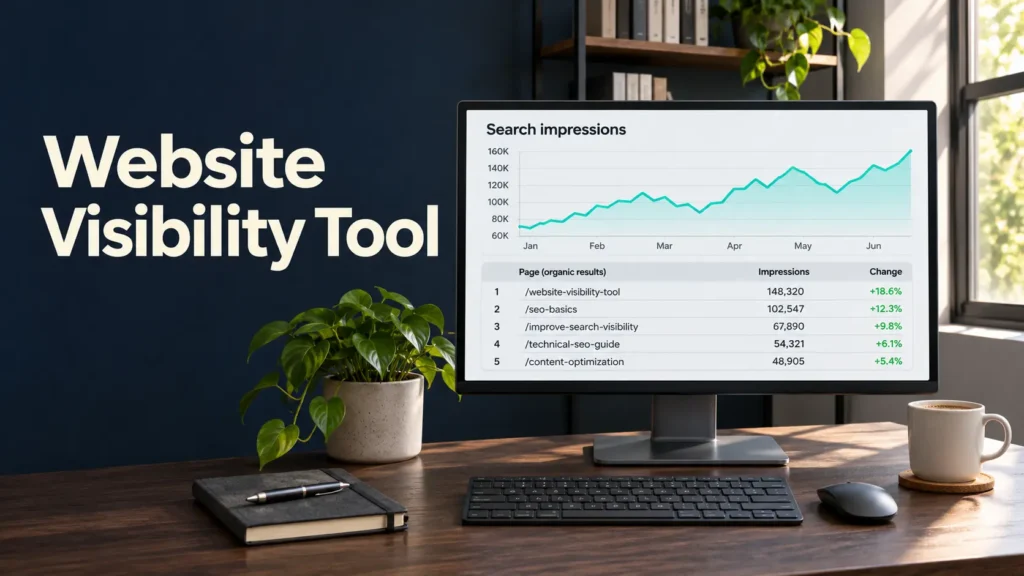
You published the pages. You fixed the titles. But can customers actually find your website on Google? Without a website visibility tool, you are guessing.
Direct answer: Start with Google Search Console, which is free. It shows real data from Google about your own site. Add a paid tool when you need more. Paid tools track set keywords daily or weekly. They also watch competitors, other locations, and other devices. This guide explains each option, what its score really means, and what it costs.
We checked every price on the vendor’s official pricing page in November 2026. Prices below are in US dollars and exclude tax, unless stated. This is a research-based guide, not hands-on testing.
What “search visibility” really means
Visibility sounds vague, so let us pin it down. Five plain ideas sit behind every tool in this guide.
| Term | Plain meaning |
|---|---|
| Ranking | The position your page holds for one search, such as position 4 |
| Impressions | How often your pages appeared in search results |
| Clicks | How often searchers clicked through to your site |
| Click-through rate | Clicks divided by impressions, shown as a percentage |
| Indexing | Whether Google has stored your page and can show it at all |
A visibility score squeezes many rankings into one number. Each vendor builds that number differently. Most weight your positions by how many people search each keyword. Most also estimate how many clicks each position earns.
That design has one big consequence. Scores from two tools will not match. Neither is “wrong”, they just use different maths. Pick one tool and follow its trend over time. Sistrix built the best-known early version of this idea. Its Visibility Index still shapes how the industry talks.
Start free: Google Search Console
Search Console is Google’s own free service for site owners. You prove you own the site, then Google shares its data. No other tool can offer that, because the data comes straight from the source.
It shows clicks, impressions, and average position. You can filter by page, search term, country, and device. Its Coverage and URL Inspection tools answer another key question. They show whether Google has indexed a page, and why not.
Know its limits before you rely on it alone:
- It covers only your own verified sites. You cannot see competitors.
- It keeps about 16 months of history.
- Some search terms stay hidden for privacy reasons.
- “Average position” blends many searches into one figure. It is not a fixed rank for a set place or device.
- Fresh data usually lands a few days late.
For a brand-new site, Search Console is honestly enough. Paid tools earn their fee when you outgrow it.
The shortlist at a glance
| Tool | Entry price | Keywords tracked | Updates | Best for |
|---|---|---|---|---|
| Google Search Console | Free | Your real searches, no set list | Daily data, a few days late | Every site owner, first stop |
| SE Ranking Core | $129/mo, or $103.20 yearly | 2,000 | Daily | Many keywords and local tracking on a budget |
| Semrush (SEO plan) | $139/mo, or $117.33 yearly | 500 | Daily | Deep research plus competitor data |
| Ahrefs Lite | $129/mo, about $108 yearly | 750 | Weekly | Link and competitor research strength |
| Moz Pro Standard | $99/mo, or $79 yearly | 300 | Weekly | Beginners who want a gentle learning curve |
Higher plans raise keyword limits and add features. The sections below explain what changes, and where each tool stops helping.
Semrush: the deep research option
Semrush’s Position Tracking shows a visibility percentage for your tracked keywords. It estimates the clicks each position should earn. Your score rises as your pages climb toward position 1. Daily updates make sudden drops easy to spot.
The entry SEO plan costs $139 a month. Annual billing drops it to $117.33 a month. It covers 5 websites and 500 tracked keywords. Higher tiers add more keywords and more sites. Share of Voice and API access sit on the top custom tier.
Watch two things here. First, Semrush renamed its plans during 2026. Older guides list plan names that no longer appear on its pricing page. Check the live page before you budget. Second, multi-location tracking sits on higher plans. A single-city business may never need it. A chain with many branches will.
Geography is a strength. Semrush keeps separate keyword databases for many countries. You track each market in its own project. Billing follows your region, and the price may show in euros. Taxes can apply on top.
Ahrefs: strong on links and rivals
Ahrefs skips the single visibility percentage. Its Rank Tracker shows average position instead. It also estimates the organic traffic your rankings should bring. Its Site Explorer then shows which pages and links drive a rival’s growth.
Lite costs $129 a month. Paying yearly brings it to about $108 a month. Lite tracks 750 keywords across 190+ locations. Desktop and mobile results are both covered. A $29 Starter plan exists for light research, with 50 tracked keywords.
The trade-off is update speed. Ahrefs refreshes tracked rankings weekly, not daily. A sudden drop can sit unnoticed for days. History also depends on your plan. Lite keeps 6 months, while higher plans keep years.
Prices are in US dollars and exclude tax. Extra users cost extra on every plan. One seat is included, so budget for your team early.
SE Ranking: daily tracking without the big bill
SE Ranking builds its rank tracker around daily checks. It covers Google, Bing, and YouTube. It tracks desktop and mobile results down to city or postcode level. Its local and map rank tracker suits shops, clinics, and tradespeople.
Its visibility figures weight your positions by search volume. A separate Share of Voice view shows your slice against named rivals. Core costs $129 a month, or $103.20 on annual billing. Core covers 10 projects and 2,000 keywords checked daily. Growth, at $279 a month, raises that to 5,000 keywords and 30 projects.
Two limits deserve a note. Core keeps only 6 months of historical data. Growth keeps your full history instead. Also, keyword counts multiply by search engine. Tracking 1,000 keywords on Google and Bing uses 2,000 slots.
SE Ranking says its keyword data spans 188 country databases. Its pricing page shows local currency in some regions. Prices still exclude VAT where that applies. A 14-day free trial needs no card, which makes testing easy.
Moz Pro: the friendly starter suite
Moz Pro calls its headline metric Search Visibility. It defines it as the estimated share of clicks from your tracked keywords. It works that share out from your positions. A gentle interface and clear explanations help new users.
Standard costs $99 a month, or $79 on annual billing. It covers 3 sites and 300 tracked keywords. A $49 Starter plan covers one site and 50 keywords. Medium and Large raise the limits for agencies.
Rankings update weekly here too. That pace suits steady content work. It suits crisis watching less well.
One geographic limit matters for many readers. Moz says its keyword scores and suggestions stay English-centric for now. Its keyword database is also smaller than its rivals’ databases. Long, specific searches in other languages may return no data.
Walkthrough: one small business checks its visibility
Meet a fictional plumbing firm in Manchester. It has service pages for boiler repair and emergency callouts. The owner wants to know one thing. Do those pages show up when locals search?
Step 1: Set up Search Console. The owner verifies the site first. The Pages report shows both service pages are indexed. The Performance report then shows real searches. “Boiler repair Manchester” earns impressions but few clicks.
Step 2: Choose a target location and device. Most customers search on phones, within the city. So the owner tracks Manchester only, on mobile. Tracking the whole UK would waste the keyword allowance.
Step 3: Add keywords to the paid tool. The owner adds 40 phrases. They cover each service, plus “near me” variants. Two rival firms join as tracked competitors.
Step 4: Read the first results. The boiler page sits at position 14 for its main phrase. The emergency page ranks at position 6. One rival holds positions 2 and 3 for both phrases.
Step 5: Pick the work in order. Pages between positions 11 and 30 come first. Small gains there can reach page one. The boiler page gets clearer pricing, photos, and reviews. The strong emergency page needs no work yet. A missing “bathroom plumbing” page goes on the content list.
That order matters more than the tool itself. Fix near-winners before chasing new topics.
What to check before you pay
- Tracking frequency. Daily checks catch drops fast. Weekly checks cost less and suit most small sites.
- Keyword maths. Keywords multiply by locations, devices, and search engines. One hundred phrases can quietly become 600 tracked keywords.
- Competitor slots. Check how many rivals each plan lets you watch.
- Historical data. Short windows hide seasonal patterns. Ask how far back each plan reaches.
- Reporting. Scheduled email reports save time. Looker Studio links help agencies and teams.
- Integrations. Links to Google Analytics 4 and Search Console join rankings to real visits. API access sits on higher plans everywhere.
- Billing and tax. Most vendors bill in US dollars. Some show euros or pounds by region. Prices exclude VAT and sales tax, so your final bill runs higher.
- Trial terms. SE Ranking’s trial needs no card. Others ask for card details up front. Set a reminder before any trial ends.
If you plan to hire help instead, our guide to choosing an SEO company in the UK lists the questions to ask. Our Dubai SEO guide covers the same ground for that market.
Judge progress by enquiries, not just rankings
A visibility score is a means, not the goal. Rankings can rise while the phone stays silent. That happens when you climb for phrases nobody buys from.
Review three layers together each month. First, the tool’s trend for your tracked keywords. Second, Search Console clicks for the same pages. Third, real outcomes: calls, forms, bookings, and sales.
A simple worked example shows why. Say the boiler page climbs from position 14 to 7. Impressions stay flat, but clicks triple. Calls then rise from two a week to five. That chain proves the work paid. A score rise alone proves nothing.
Good follow-up turns those enquiries into customers. Our marketing automation agency guide explains that next step.
One last honesty note. Search volumes, click estimates, and visibility scores are vendor estimates. Treat them as weather reports, not measurements. Search Console clicks are the closest thing to ground truth.
FAQs
Which website visibility tool is best for a new website?
Google Search Console. It is free and uses Google’s real data. Add a paid tool once you need competitor or location tracking.
Why do two tools show different visibility scores?
Each vendor uses its own keyword set and click estimates. Their maths differs, so their scores differ. Follow one tool’s trend instead of mixing tools.
How many keywords should a small business track?
Start with 25 to 50 phrases that match your services and town. Add more only when you act on the data. A long list you never read helps nobody.
Is daily tracking worth paying for?
It helps if you rely on search for daily sales. Weekly updates suit most blogs and small sites. The saving often buys more keywords instead.
Can these tools tell me if Google indexed my page?
Search Console can, through its URL Inspection tool. Paid tools check rankings for tracked keywords. A page cannot rank if Google never indexed it, so check indexing first.
Final words
Choose a website visibility tool that matches your real job. Search Console covers your own site for free. SE Ranking suits daily local tracking on a budget. Semrush and Ahrefs add research depth. Moz Pro keeps things simple for beginners. Set it up, track a short keyword list, and judge it by enquiries. That habit beats any single score.