
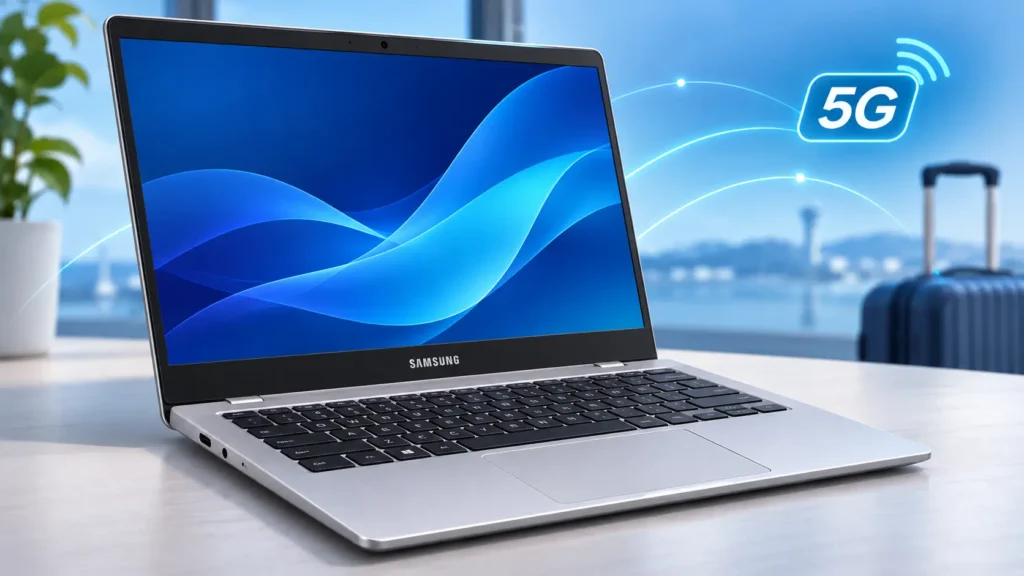
A cheap laptop with built-in 5G sounds useful for studying, traveling, or working away from reliable Wi-Fi. The problem is that mobile connectivity tells you little about whether your software, printer, or employer’s security tools will work.
The Samsung Galaxy Book Go 5G is worth considering for light, mostly browser-based work—but only after checking the exact unit’s software support, carrier compatibility, and condition. Its older ARM processor makes those checks especially important.
This guide evaluates manufacturer specifications and official software documentation. It is not a hands-on Galaxy Book Go 5G review, and no independent performance or battery testing was supplied.
What is the Samsung Galaxy Book Go 5G?
The Galaxy Book Go 5G is a Windows laptop powered by Qualcomm’s Snapdragon 8cx Gen 2 platform. It belongs to Samsung’s 2021 Galaxy Book Go generation and combines a conventional laptop design with integrated mobile broadband.
Its processor uses ARM architecture rather than the Intel or AMD architecture found in many Windows laptops. That affects how some applications and accessories work.
The naming can cause confusion. Samsung’s original non-5G Galaxy Book Go uses a Snapdragon 7c Gen 2 processor, with Wi-Fi-only and LTE configurations depending on the market. The 5G model also adds Wi-Fi 6. Samsung’s original product announcement explains these distinctions.
| Feature | Galaxy Book Go 5G | Original non-5G Galaxy Book Go |
|---|---|---|
| Processor | Snapdragon 8cx Gen 2 | Snapdragon 7c Gen 2 |
| Mobile connectivity | Built-in 5G; carrier checks required | Optional LTE on selected models |
| Wi-Fi generation | Wi-Fi 6 | Wi-Fi 5 |
| Buying implication | More capable platform with integrated 5G | Different hardware, despite similar appearance |
Do not substitute specifications from the newer Galaxy Book2 Go 5G, either. Ask for the complete model code, not just a photograph of the lid.
Samsung Galaxy Book Go 5G specs: identify the configuration
The following specifications describe Samsung’s U.S. 256GB NP545XLA-KA1TT and NP545XLA-KA1VZ configurations, documented in its product datasheet. They should not be treated as universal specifications for every listing.
| Component | Documented specification |
|---|---|
| Processor | Qualcomm Snapdragon 8cx Gen 2 |
| Memory | 8GB LPDDR4x, onboard |
| Storage | 256GB eUFS |
| Display | 14-inch, 1920 × 1080, 220 nits |
| Webcam | 720p |
| Wireless | Wi-Fi 6, Bluetooth 5.1, cellular 5G |
| Connections | Two USB-C ports, one USB 2.0 port, microSD, headset jack |
| Battery and charger | 42.3Wh typical; 25W adapter |
| Weight | Approximately 3.24lb, or 1.47kg |
| Original operating system | Windows 10 Home |
The practical limitations matter more than the specification list. The onboard memory is not a normal user upgrade. eUFS storage should not be mistaken for a replaceable NVMe SSD, and a microSD card will not increase RAM.
The modest screen brightness also makes outdoor work a questionable selling point. Mobile reception may be available where the display is uncomfortable to read.
Is it suitable for studying and everyday work?
My editorial assessment is that its most sensible workloads are documents, email, online learning, streaming, and modest browser multitasking. Treat that as a purchasing judgment, not a measured performance result.
For example, an illustrative student workflow—reading course materials, writing an assignment, and uploading it through a browser—fits the intended use. A course requiring specialist engineering software, virtual machines, or examination monitoring software needs a separate compatibility check.
For remote work, test the complete routine. Joining a meeting is only one part of it: screen sharing, accessing company files, using a VPN, and running endpoint security may all be mandatory.
Heavy video editing, demanding games, and large analytical workloads are poor reasons to buy this older platform. A newer laptop with more memory offers more room for those tasks.
Windows on ARM: check applications and peripherals separately
Windows on ARM can run native ARM applications and many conventional Windows applications through emulation—a translation layer that lets software built for another processor architecture run.
Microsoft documents native ARM versions of Microsoft 365 applications, Teams, Chrome, and Zoom. However, general ARM availability does not guarantee every current feature or release supports this older processor. Check the application’s own requirements.
Microsoft 365, browsers, and video calls
For everyday Word documents, presentations, and email, start by checking the current Microsoft 365 requirements and licensing. Do not assume a used laptop includes a transferable Office licence.
For browser-based services, test sign-in, file uploads, downloads, and required extensions. For meetings, test the camera, microphone, screen sharing, and headset together.
An application opening successfully is not enough. A spreadsheet may depend on an old add-in, while a conferencing workflow may require a particular recording or security component.
Printers, docks, and work software
Hardware drivers require special attention. Microsoft explains that peripherals need drivers built into Windows or compatible ARM64 drivers from their manufacturer. Emulation does not solve an incompatible driver.
Check these before buying:
- Your exact printer and scanner models.
- USB Ethernet adapters and docking stations.
- Employer VPN and security software.
- Specialist audio equipment and accessibility tools.
- Examination software or games using anti-cheat drivers.
Use Microsoft’s Windows ARM compatibility guidance as a starting point, then verify with each vendor.
Software support is a purchase condition
As of November 2026, “Windows 11 installed” is insufficient reassurance.
Standard Windows 10 support ended on October 14, 2025. Windows 11 Home and Pro version 24H2 also reached the end of its support period in October 2026. The installed edition and version therefore matter.
Microsoft lists Snapdragon 8cx Gen 2 among supported processors for Windows 11 24H2. That historical eligibility does not establish the current upgrade status of an individual Samsung laptop. Microsoft’s newer processor lists also discuss requirements for newly manufactured devices, so they should not be used alone to declare an existing machine supported or unsupported.
Before paying, request:
- A screenshot of
winver, showing the installed Windows version. - Windows Update history showing recent successful security updates.
- Confirmation from Samsung about the supported upgrade path for the complete model code.
Compare the installed release against Microsoft’s Windows lifecycle table. If a supported configuration cannot be established, skip it as your main work or study computer.
Will its 5G connection work in your country?
An unlocked laptop is not automatically compatible with every mobile operator.
Check the exact model’s network bands, the operator’s device acceptance rules, and whether it offers a suitable laptop data plan. Ask the carrier to check the device’s IMEI, the identifier used for cellular equipment.
SIM features also vary by configuration. Verizon documents physical SIM and eSIM support for its Galaxy Book Go 5G, with only one active at a time. Its instructions say eSIM activation must happen within Verizon coverage, which matters when buying an imported unit.
Use the Verizon activation instructions only for the applicable carrier version. Do not assume they apply worldwide.
For travelers, check roaming prices and destination coverage before relying on cellular access. For occasional use away from Wi-Fi, compare the total cost with a conventional laptop using your phone’s Wi-Fi hotspot.
Battery expectations for used and refurbished units
Samsung advertised up to 18 hours of battery life in its U.S. datasheet. That is a manufacturer claim, not a result established by this guide. Battery age, display brightness, cellular reception, and workload can change runtime substantially.
Compare Full Charge Capacity with Design Capacity. As an illustrative calculation, 30,000mWh divided by 42,000mWh is approximately 71% remaining capacity. This estimates capacity retention, not guaranteed working hours.
During the return period, run your normal workload unplugged. Check charging, sleep behaviour, and unexpected shutdowns. A sealed older unit can still have an aged battery.
Price and availability: judge the whole purchase
Verizon’s U.S. product page currently says the Galaxy Book Go 5G is no longer available. That does not establish availability in every country, but it makes an old launch price a poor guide to present value.
No consistent current worldwide selling price was verified. Compare actual local offers using:
Laptop price + delivery/import costs + charger or repairs + data service + necessary software.
For a refurbished unit, get the battery policy, warranty provider, return period, and return-shipping responsibility in writing. Imported hardware may require service through the original market; confirm coverage with Samsung rather than assuming an international warranty.
The Samsung Galaxy Book Go 5G makes sense only when its low total cost and useful cellular connection outweigh its age and compatibility limits. Before buying, obtain the model label, Windows version, battery report, and carrier confirmation—then test your essential applications while you can still return it.