
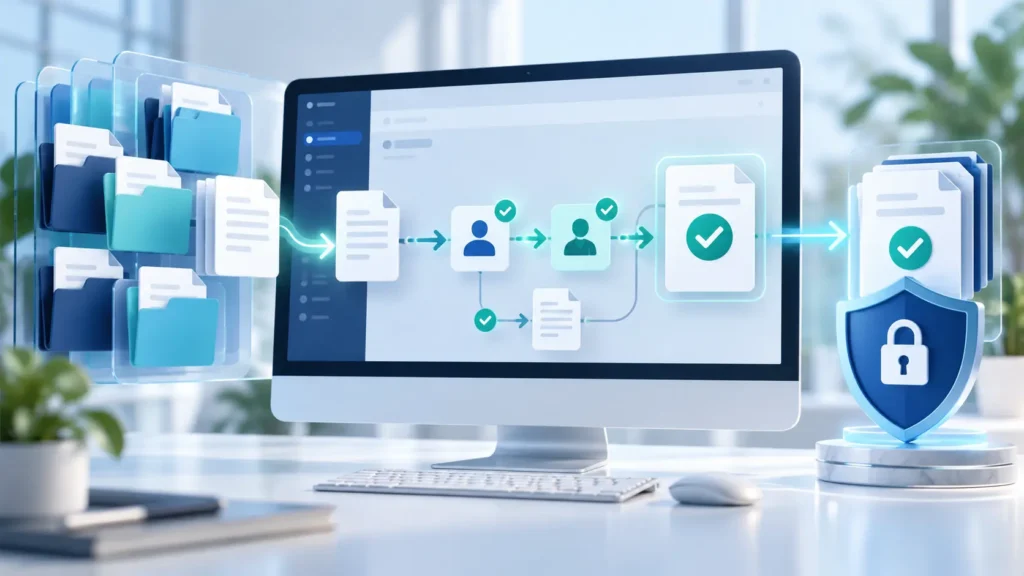
When contracts, invoices, and employee records are scattered across email and shared folders, finding a file is only part of the problem. Your team also needs to know which version is approved, who can access it, and what happens next.
Laserfiche combines document management with workflow automation and records management. It is worth evaluating when documents drive repeatable business processes, such as invoice approvals or employee onboarding. If you only need basic file sharing, start by assessing whether your existing tools can meet the requirement.
Looking for the official destination? Visit the Laserfiche website or use the Cloud sign-in options below.
This guide is based on official product documentation and pricing pages checked on November 1, 2026. It is not a hands-on review.
Laserfiche Login: Where to Sign In
Laserfiche Cloud has different sign-in addresses depending on your organization’s region:
| Cloud environment | Official sign-in page |
|---|---|
| United States | Laserfiche US sign-in |
| Canada | Laserfiche Canada sign-in |
| Europe | Laserfiche Europe sign-in |
Use the region assigned to your organization. The official sign-in instructions explain that you normally need a nine- or ten-digit Cloud account ID, followed by your credentials or your organization’s configured single sign-on option.
If you do not know the account ID, ask your administrator. For a self-hosted installation, request your organization’s specific access address instead of assuming the Cloud login applies.
What Is Laserfiche?
Laserfiche is an enterprise content management platform: software for organizing business information and controlling the processes around it.
Its document repository supports folders, metadata, version control, annotations, and searches using document text or metadata filters. Metadata means descriptive information attached to a document, such as a supplier name, contract expiration date, or employee number.
The practical difference from a basic shared folder is structure.
A folder might contain hundreds of invoices with inconsistent filenames. A properly configured repository lets staff locate invoices by supplier, invoice number, or other defined fields. That makes retrieval less dependent on remembering where someone saved a file.
However, software cannot decide your filing rules for you. If departments use different customer identifiers or disagree about document ownership, those issues need resolving during implementation.
How Laserfiche Helps Manage Documents and Workflows
Find documents without relying on filenames
Laserfiche supports document capture and tools for extracting and classifying information. Its document management offering also includes granular access controls and audit trails.
For a records manager, the benefit is consistent retrieval. For IT, it is the ability to manage access more deliberately than through a growing collection of shared folders.
Keep the metadata design manageable. Requiring staff to complete twenty fields for every upload can encourage shortcuts. Start with the fields needed for search, routing, reporting, and retention.
Route work through a defined process
Laserfiche’s visual workflow tools can route documents for approval, update metadata, send notifications, and interact with other systems. Events such as uploads or form submissions can start workflows.
Illustrative example: A finance department could configure an invoice process that:
- Captures an invoice and its key details.
- Sends uncertain information to an employee for checking.
- Routes the invoice to the appropriate approver.
- Requests additional approval above a defined spending threshold.
- Stores the approved document and passes agreed data to an accounting system.
That last step depends on the integration being built and tested.
The most revealing demonstration is often an exception: a duplicate invoice, an absent approver, or an accounting-system outage. A process that handles only straightforward submissions may leave staff managing the difficult cases through email again.
Apply records lifecycle controls
Records management addresses how long documents must be retained and what should happen when that period ends. Laserfiche documents lifecycle capabilities covering creation, retrieval, storage, and disposition.
During evaluation, ask the vendor to demonstrate your actual retention rules, hold requirements, and deletion approvals.
Treat these as implementation requirements. Buying records management software does not establish which retention policy is correct for your organization.
Laserfiche Pricing: Look Beyond the Monthly Headline
The official Laserfiche pricing page displays these annual-billing figures:
| Cloud plan | Displayed USD price per user/month | Published USD price per user/year | Minimum users | Calculated annual subscription minimum |
|---|---|---|---|---|
| Professional | $73 | $875 | 5 | $4,375 |
| Business | $93 | $1,115 | 25 | $27,875 |
| Business+ | $42 | $500 | 500 | $250,000 |
The minimum totals use the published annual figures, since the monthly equivalents are rounded. They exclude implementation and professional services. Cloud Starter and self-hosted Laserfiche 12 are listed separately without public prices in those sections.
Business+ illustrates why minimum seats matter: a lower per-user figure can still mean a much larger commitment.
Professional includes process automation and custom forms. Business adds records lifecycle management; records management is also listed as an add-on available for Professional. Confirm the complete configuration in your quote.
What should your budget include?
Ask for a written breakdown covering:
- Subscription licenses and access for occasional participants.
- Document migration, scanning, and metadata cleanup.
- Workflow design and integration work.
- Training and ongoing administration.
- Additional capacity, support, and future changes.
Estimate costs for both your initial team and expected expansion. An approval process may eventually involve employees who were absent from the original license estimate.
Is there a free plan or trial?
The pricing page does not advertise a permanent free plan or establish a standard trial duration; it directs visitors to request a demo. Confirm any evaluation offer, its limits, and its end date directly.
Cloud or Self-Hosted: Which Fits Your Organization?
Laserfiche offers Cloud and self-hosted Laserfiche 12 options. Its Cloud documentation recommends current Chrome or Firefox browsers and provides mobile sign-in instructions. Self-hosted documentation covers administration of repositories, servers, capture tools, and automation services.
Cloud is worth considering when reducing infrastructure administration is a priority. Self-hosting deserves consideration when infrastructure control is an explicit requirement and your IT team can support it.
Do not assume the two deployments have identical functionality or maintenance requirements. Request a demonstration of the exact version you would purchase.
For an international organization, make these purchasing questions explicit:
- Where will primary data and backups reside?
- Which interfaces and languages do employees need?
- Will scanning equipment and desktop components work on existing devices?
- What support hours, currency, and contractual terms apply locally?
Browser access alone does not confirm that every capture tool or integration works on every operating system.
Integrations: Verify the Full Transaction
Laserfiche describes prebuilt connectors, APIs, webhooks, and integration-platform options for connecting business applications. Its integration materials reference systems including Microsoft 365, Salesforce, Workday, and SAP.
An integration listing is a starting point. It does not explain whether your specific data can move in both directions or whether a connector requires extra licensing.
Ask the vendor to demonstrate a complete transaction using your requirements:
“After approval, create the accounting entry, attach or link the supporting invoice, and show what happens if the accounting system rejects it.”
Also establish who monitors failures and maintains the connection after either application changes. A workflow can look automated while still requiring someone to correct records manually.
Laserfiche vs. SharePoint, DocuWare, and M-Files
These are workflow-based evaluation starting points, not a ranking from hands-on testing.
| Product | When to shortlist it | What to examine closely |
|---|---|---|
| Laserfiche | Documents need structured approvals and records lifecycle controls | Seat minimums, implementation effort, and required add-ons |
| Microsoft SharePoint | Collaboration is the main priority and your organization already uses Microsoft 365 | The additional configuration and licensing needed for your complete process |
| DocuWare | You want document capture, forms, and approval workflows in a dedicated platform | User types, storage, integrations, and separately priced modules |
| M-Files | Staff need to organize documents around business context, such as customers or projects | Metadata design, governance, and the effort needed to maintain them |
SharePoint’s official plans focus on content sharing and collaboration. Evaluate automation separately: Microsoft publishes distinct Power Automate licensing options. Do not compare a basic collaboration subscription with a fully configured document workflow system.
DocuWare’s pricing guidance says its Cloud plans include Intelligent Indexing, Workflow Manager, and Forms. Pricing depends on users, storage, and requirements, with specialized modules available separately. Request a quote against the same workflow you show Laserfiche.
M-Files emphasizes metadata-driven document management and offers graphical workflow automation. That makes it relevant when business context matters more than folder location, but the metadata model still needs clear ownership.
Also Read: Digital Ocean vs. Other Cloud Hosts: Are You Paying Too Much?
Is Laserfiche Right for Your Business?
Laserfiche is a credible shortlist candidate when retrieving documents is only one part of a larger operational problem: approvals stall, access is inconsistent, or records need controlled lifecycle management.
It may be excessive if a small team simply needs shared files and occasional approvals. Likewise, buying it before assigning a process owner can leave your organization with capable software and unresolved working practices.
Your next step: Request a demonstration built around one real process. Supply representative, sanitized documents, approval rules, access requirements, and exception cases. Ask the vendor to show the workflow, explain its maintenance needs, and provide a complete first-year quote.