A production line stops, yet every motor on the operator’s screen appears healthy. A temperature alarm arrives, but nobody can tell whether it caused the shutdown or followed it. Yesterday’s output report disagrees with the shift supervisor’s spreadsheet.
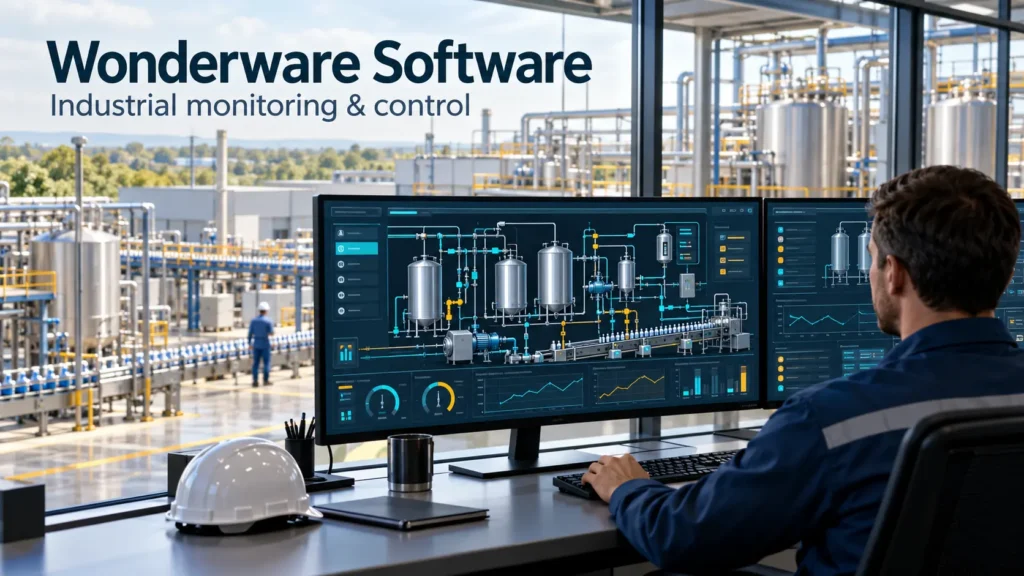
These are the kinds of problems Wonderware software is used to address: making industrial operations visible, giving operators useful controls, and preserving the data needed to investigate what happened.
But “Wonderware” does not identify one application. It can mean an operator interface, a plant-wide supervisory system, a historian, or manufacturing execution software. Choosing the wrong starting point can leave a company with an expensive platform that solves only part of its problem.
This guide explains the differences, where the software fits, and the implementation choices that deserve attention before anyone starts drawing screens.
What Is Wonderware Software?
Wonderware software is a family of industrial applications used to visualize, supervise, and record manufacturing and process operations. Its familiar products—including InTouch HMI, System Platform, Historian, and MES—now sit within the AVEVA portfolio. The Wonderware name remains common in existing project documentation and everyday plant conversations.
Three terms help explain its role:
- HMI, or human-machine interface: The screens through which operators observe equipment and issue permitted commands.
- SCADA, or supervisory control and data acquisition: A system that collects operational data and provides supervision across equipment, processes, or locations.
- Historian: A database designed to retain time-based industrial measurements and related operational information.
Consider a pumping station. Instruments measure pressure and tank level. A programmable logic controller, or PLC, executes the control logic. The operator interface displays operating conditions, while a historian retains measurements for later investigation.
The distinction matters: the software that displays a pump is not necessarily the software that decides whether the pump can safely run.
When discussing an existing installation, ask for the exact product, release, and application architecture. “We use Wonderware” is a starting point, not a usable technical specification.
Understanding the Main Wonderware Products
The products serve different operational needs. A project may use several together, but it does not automatically need the entire family.
| Product name commonly encountered | Main purpose | Example requirement |
|---|---|---|
| Wonderware InTouch / AVEVA InTouch HMI | Operator visualization and interaction | Show a packaging line’s status and operating controls |
| Wonderware System Platform / AVEVA System Platform | A structured foundation for broader supervisory applications | Organize equipment and operations across multiple production areas |
| Wonderware Historian / AVEVA Historian | Storage and retrieval of industrial history | Investigate pressure changes before a shutdown |
| Wonderware MES / AVEVA Manufacturing Execution System | Management of manufacturing execution activities and information | Track production execution and associated operational records |
These are product roles, not a statement that every capability is included in every license or release.
InTouch HMI: The Operator’s Working Interface
InTouch provides industrial visualization that helps operators monitor processes and interact with equipment.
For a filling line, an effective application might show:
- Whether the line is running, stopped, or waiting.
- Which condition is preventing a restart.
- Current throughput compared with the operating target.
- Active alarms that require attention.
- Relevant trends for investigating an interruption.
A common mistake is treating HMI development as graphic design. Animated conveyors and detailed equipment drawings may look impressive while hiding the information an operator needs.
A better test is practical: can a trained operator identify the abnormal condition and the next permitted action without opening five separate windows?
System Platform: Organizing a Larger Application
System Platform supports broader industrial supervisory applications.
Its relevance increases when the engineering problem extends beyond individual screens. A facility with many similar pumps, tanks, and production areas needs consistent equipment definitions, naming, behavior, and maintenance practices.
For example, a project team might establish a standard pump model covering operating status, fault information, commands, and historical measurements. The value comes from maintaining consistency as the installation grows.
The tradeoff is engineering discipline. A shared design can reduce repeated work, but a poorly considered shared design can spread the same mistake widely.
Before standardizing an equipment type, test it against several real variations. A simple transfer pump and a duty/standby pumping arrangement may need different behavior even when their screen symbols look similar.
Historian: Reconstructing Events
AVEVA Historian retains industrial process data and provides access to process, alarm, and event history.
Its practical purpose is to answer questions such as:
- Did pressure fall before the motor stopped?
- Did temperature become unstable during a product change?
- Was a quality issue isolated to one operating period?
However, recorded data is only as useful as its configuration.
Suppose a disturbance lasts two seconds, but the relevant value is acquired only once every ten seconds. A trend may miss the event entirely. No amount of dashboard redesign can recover a measurement that was never captured.
Choose collection settings around the questions people need to answer. A slowly changing storage temperature and a rapidly changing line pressure do not necessarily require the same settings.
MES: Connecting Equipment Activity to Production Work
A manufacturing execution system addresses production execution and its operational records. It serves a different purpose from simply displaying machine conditions.
A packaging machine may report that it produced 12,000 units. Production management may also need to know which order those units belong to, how many were rejected, and which material lots were involved.
That additional context requires agreed workflows and reliable data ownership.
Before introducing MES, define who owns order identifiers, product definitions, downtime categories, and corrections. Software cannot resolve a situation in which production and planning use different definitions of a completed order.
Integrating With Business Systems
Connecting operational software to ERP, maintenance, or reporting systems introduces another problem: meaning.
An equipment identifier, production order, and material code must refer to the same thing across systems.
For example, an automated maintenance request needs more than a fault signal. It needs a valid asset identifier, duplicate prevention, delivery handling, and someone responsible for exceptions.
How Wonderware Software Works With PLCs and Plant Equipment
A typical installation involves several distinct responsibilities:
- Sensors measure physical conditions.
- Controllers execute equipment and process logic.
- Communication services exchange data with supervisory applications.
- Operator displays present measurements and permitted controls.
- Historical and reporting systems retain selected information.
Imagine an operator pressing Start Pump.
That action should be treated as a request. Controller logic determines whether the necessary operating conditions are satisfied. The interface then displays the resulting equipment state.
This creates an essential design distinction: a command is not proof of an outcome.
A pump screen should distinguish between:
- Start requested.
- Motor running feedback received.
- Flow established.
- Start failed.
Showing “running” simply because someone pressed Start can conceal a failed motor, disconnected feedback signal, or closed valve.
During commissioning, test the complete sequence from command to physical feedback. A changing screen icon is insufficient evidence that the control path works correctly.
Where Wonderware Can Deliver Practical Value
The strongest use cases begin with a specific operational question.
| Operating environment | Useful application | Detail that affects the result |
|---|---|---|
| Water treatment | Monitor levels, pumps, and treatment conditions | A communications failure must remain distinguishable from a normal reading |
| Food processing | Review process conditions around a production batch | Measurements need consistent batch identifiers and timestamps |
| Packaging | Investigate repeated short stops | Equipment states must distinguish faults, starvation, and downstream blockage |
| Utilities | Compare consumption across operating periods | Consumption needs production context to support fair comparisons |
| Multi-site manufacturing | Compare performance across plants | Sites must calculate the same metric using the same definitions |
Consider energy monitoring. A dashboard may show that one shift used more electricity than another. That alone says little about efficiency.
Perhaps the higher-consumption shift produced twice as much material. Perhaps it ran a more demanding product. A useful comparison needs a suitable production denominator and enough context to explain the difference.
The practical lesson is to define the decision before defining the dashboard. “Reduce energy waste during idle operation” produces a clearer requirement than “show energy data.”
Data Quality Matters More Than Dashboard Polish
A value can look plausible and still be unusable.
A displayed temperature of 72°C might be a current measurement, a stale value from before a network failure, or an incorrectly scaled signal. If the application treats all three identically, operators have no way to judge what they are seeing.
For each significant measurement, establish:
- Its physical meaning and engineering units.
- Its source and expected update frequency.
- How bad or stale data appears.
- Which timestamp is used.
- Whether it represents a raw reading, calculation, or operator entry.
For example, a tank level of zero and a missing tank-level signal should not produce the same interpretation. One indicates an empty tank; the other indicates uncertainty.
A useful acceptance test is to interrupt communications in a controlled test environment. Check the display, alarms, historical records, and recovery behavior. The system should communicate uncertainty clearly rather than preserve a reassuring-looking number indefinitely.
Agree on Metric Definitions Before Comparing Sites
“Production count” sounds straightforward until one facility counts all discharged units and another counts only accepted units.
Both measurements can be valid. Comparing them without explanation is not.
For a multi-site project, maintain a metric definition that identifies the source, calculation, exclusions, time boundary, and correction rules. This modest document can prevent months of arguments about whose dashboard is correct.
Alarm Design: Make Every Alarm Earn Its Place
An alarm should identify a condition that requires a response. A status change, maintenance reminder, and urgent process deviation do not necessarily belong in the same alarm stream.
Consider a conveyor line that stops because downstream equipment is unavailable. That single event may trigger several secondary conditions.
If every consequence receives the same priority, the operator must reconstruct the cause while acknowledging a flood of messages.
For each proposed alarm, answer:
- What condition triggers it?
- What must the operator do?
- How quickly is action required?
- What happens if nobody responds?
- When is the alarm irrelevant, such as during a planned shutdown?
A common mistake is increasing alarm delays simply to reduce nuisance messages. That may hide a symptom while leaving the underlying instrument or process problem unresolved.
Review nuisance alarms with operations and engineering together. The right correction might involve instrumentation, thresholds, operating-state logic, or maintenance.
What Does Wonderware Software Cost?
A useful budget must describe a specific deployment. A single operator station and a redundant supervisory installation across several facilities are different purchases.
Request a written scope covering:
| Cost area | What to clarify |
|---|---|
| Software entitlement | Products, capacity measures, deployment rights, and included functionality |
| Development access | Tools and rights needed to maintain the application |
| Operator and remote access | Required users, sessions, or clients under the proposed license |
| Infrastructure | Servers, operating systems, databases, storage, and virtualization |
| Availability requirements | Which components require redundancy and how they are licensed |
| Engineering | Integration, screen development, configuration, and migration |
| Validation and handover | Testing, documentation, training, and recovery procedures |
| Ongoing ownership | Support, upgrades, administration, and future modifications |
Do not assume that a sales demonstration represents the quoted configuration. Ask the supplier to map each demonstrated capability to the proposed deliverables.
A useful comparison is the cost of ownership over an agreed planning period. A lower initial quote may require more custom engineering or leave the plant dependent on one specialist for routine changes.
Conversely, a large platform can be difficult to justify when the requirement is a small, stable application with limited expansion.
Wonderware software Pricing: Published Prices Versus Project Cost
There is no single price for “Wonderware software.”
At the time of review, AVEVA’s public InTouch pricing page displayed these US-dollar MSRP figures:
| Listed offering | Published MSRP |
|---|---|
| InTouch Workstation | $1,850 |
| InTouch Unlimited Standard | $12,360 |
| InTouch Unlimited Professional | $20,600 |
| AVEVA Operations Control | Subscription offering; request a quote |
The page excludes applicable taxes and directs buyers to a local distributor. These figures are product pricing references, not complete installed-project budgets or guaranteed regional offers.
There is also a reason to request written confirmation: the page’s descriptive copy and comparison matrix differ on some web-client and historian inclusions. Do not resolve that ambiguity by assuming the more generous interpretation.
Ask the supplier to itemize:
- Software editions and entitlements.
- Development and runtime access.
- Historical-data capacity.
- Remote access and session requirements.
- Servers, operating systems, and other dependencies.
- Engineering and integration.
- Testing, training, and documentation.
- Support, renewal, and expansion costs.
Buying next step: Request a quote against your architecture, equipment list, and acceptance criteria—not just a product name.
Wonderware software Alternatives: Ignition, WinCC and FactoryTalk
A useful comparison starts with the plant’s requirements and existing skills.
Ignition promotes server-based licensing with unlimited clients, tags, and wonderware software, subject to the selected product and modules. Siemens positions WinCC Unified engineering within TIA Portal. Rockwell’s FactoryTalk View SE supports applications ranging from individual stations to distributed systems.
The following shortlist guidance is an evaluation framework, not a universal ranking.
| Option | When to shortlist it | What to investigate |
|---|---|---|
| AVEVA InTouch / System Platform | Existing AVEVA applications, trained personnel, or a broader AVEVA operations strategy | Product boundaries, upgrade effort, licensing, and support ownership |
| Ignition | Projects evaluating server-based licensing and configurable industrial applications | Required modules, integration effort, deployment architecture, and support skills |
| Siemens WinCC Unified | Teams already engineering within the Siemens TIA Portal environment | Exact runtime requirements, device support, migration, and licensing |
| FactoryTalk View SE | Facilities with established Rockwell engineering practices | Application architecture, controller integration, client requirements, and maintenance |
Wonderware vs Ignition
The strongest comparison is the effort required to deliver and maintain the same operating workflow.
A licensing difference may matter less than the cost of rebuilding existing screens, retraining operators, and validating integrations. For a new application, those migration costs may not exist.
Ask both suppliers to demonstrate one equipment sequence, one communications failure, one historical investigation, and one application change.
Planning a wonderware software Implementation That Can Be Maintained
Start with one representative process area. Choose something complex enough to expose real integration problems, but contained enough to correct without redesigning the whole plant.
Define Observable Outcomes
“Improve visibility” is too vague to validate.
More useful objectives include:
- Operators can identify the condition preventing a restart.
- Maintenance can retrieve the measurements preceding a trip.
- Supervisors can distinguish equipment faults from material shortages.
- Administrators can restore the application using documented backups.
Each objective should become an acceptance test.
Establish Naming and Equipment Standards
Names should help the next engineer understand the installation.
A tag such as Tank03_Level_PV conveys more than Analog127, provided the naming convention is applied consistently and documented.
Avoid embedding temporary assumptions in permanent identifiers. Naming equipment after its current product can become confusing when production assignments change.
Test Failures, Not Just Normal Operation
A demonstration proves little if everything remains connected and healthy throughout.
Test representative failures:
- Loss of a controller connection.
- An unavailable historical-data service.
- A workstation restart.
- An unauthorized command attempt.
- A failed equipment start.
- Recovery after an interrupted connection.
Record what operators see and what data is retained. Define acceptable behavior before testing so the team does not explain away unexpected results afterward.
Make Handover a Deliverable
The project is not complete merely because production has started.
The owner needs application backups, configuration records, dependency information, account ownership, change procedures, and clear recovery instructions.
A practical handover test is to have someone other than the original developer perform a routine maintenance task using the documentation. Their questions reveal gaps that the developer may no longer notice.
Upgrading an Existing Wonderware System
An older installation can contain years of operational knowledge inside scripts, screens, naming conventions, and workarounds.
That does not mean every customization should survive. It means the team should understand what each customization does before removing it.
Start with an inventory of:
- Product releases and installed updates.
- Operating systems and database dependencies.
- Communication drivers.
- Custom scripts and external components.
- Reports and scheduled integrations.
- License arrangements.
- Backup and recovery procedures.
Then test a copy of the application in an isolated environment.
A successful conversion is only one milestone. Operators still need to verify displays, commands, alarms, trends, permissions, and abnormal operating conditions.
An apparently obsolete spreadsheet export, for example, may feed a daily production meeting. Removing it without identifying its users creates an operational problem even if the upgraded application runs correctly.
Separate compatibility work from redesign where practical. Changing the platform, screens, alarm behavior, and production calculations simultaneously makes discrepancies harder to diagnose.
Security and Availability Depend on the Whole Design
A login screen does not make an industrial application secure. Two servers do not automatically make it resilient.
Access controls, network boundaries, recovery procedures, and operational responsibilities all affect the result.
For example, redundant application servers can still share a single point of failure: one network switch, storage dependency, power source, or communication path.
Review the complete route from equipment to operator. Identify what happens when each dependency becomes unavailable.
For user access, define roles around actual responsibilities. An operator may need to acknowledge alarms and enter permitted setpoints. An engineer may need to modify the application. A remote viewer may need read-only access.
Test these distinctions with representative accounts.
Backup verification deserves equal attention. A successful backup job confirms that a process completed; a restore test demonstrates whether the installation can actually be recovered.
Is Wonderware Software Suitable for Your Organization?
Suitability depends on the operational requirement and the team that will maintain it.
It deserves consideration when a company needs substantial industrial visualization, historical analysis, or coordinated supervisory applications—and can support the associated engineering and administration.
A smaller application may call for a simpler architecture, especially when there are few devices, limited reporting requirements, and little expected expansion.
For an existing Wonderware installation, compare three paths:
- Maintain and improve the current application.
- Upgrade within the product family.
- Replace it with another platform.
Include migration effort, operator retraining, integration changes, and recovery risk in that comparison. Familiarity has value, but it should not excuse an application that is becoming difficult to maintain.
The best evaluation uses a representative operating scenario. Ask each proposed solution to demonstrate the same equipment sequence, communications interruption, historical investigation, and maintenance change.
Learning Wonderware Software: A Practical Starting Point
Students and new engineers should begin with a small simulated process.
A tank-and-pump exercise provides enough detail to practice:
- Measurement scaling and units.
- Equipment states.
- Operator commands.
- Alarm conditions.
- Historical trends.
- Communications failure indications.
Begin with one tank, one pump, and a handful of meaningful signals. Add complexity only when the basic behavior is understandable.
A useful challenge is to distinguish “pump commanded on” from “pump confirmed running.” Then simulate a failed start.
This teaches more than filling a screen with animated equipment because it forces the developer to think about uncertainty, feedback, and operator expectations.
Use documentation that matches the product release and architecture you are learning. Tutorials for different generations of software may describe tools or workflows that do not apply to your environment.
Strategic Takeaways
The most important decision is not which screen to build first. It is which operational problem the system must help people solve.
Prioritize the following:
- Identify the exact product and architecture. Wonderware is too broad a label for technical planning.
- Define trustworthy data. Units, quality, timestamps, and calculation rules determine whether information is useful.
- Design for operator decisions. Show causes, operating constraints, and confirmed outcomes.
- Test interruptions and recovery. Normal operation is only part of the requirement.
- Budget for ownership. Engineering, support, documentation, and maintainability belong in the purchasing decision.
Give less weight to decorative graphics, oversized feature lists, and promises that lack a testable operating scenario.
A successful Wonderware software implementation should make a difficult shift easier to manage: operators understand what is happening, engineers can reconstruct failures, and the organization can maintain the system after the original project team has moved on.