
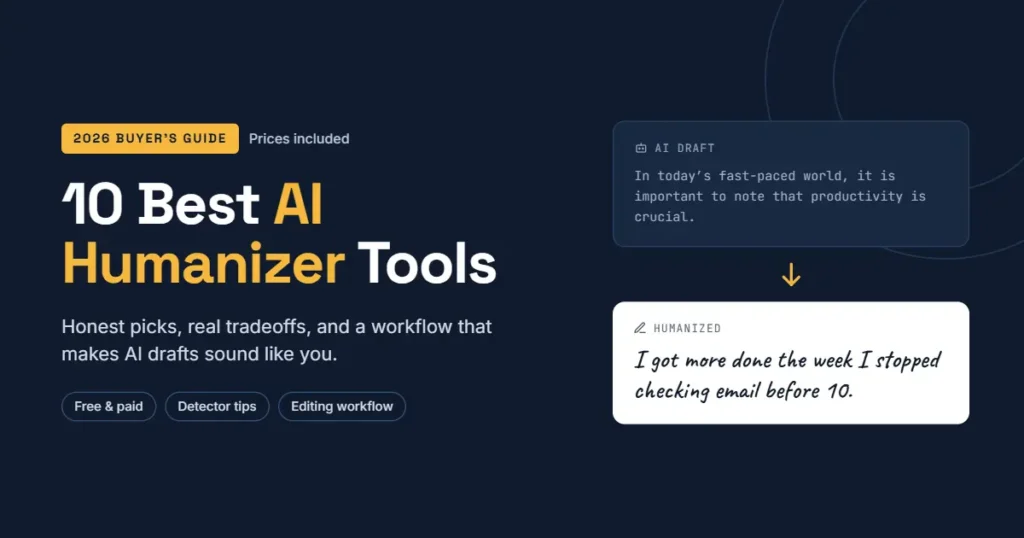
You asked ChatGPT for a blog post. It gave you 900 tidy words. And somehow, every single sentence sounds like it was written by a polite hotel brochure.
That flat, over-balanced tone is exactly what readers skim past, and it is what AI detectors like GPTZero, Originality.ai, and Turnitin are trained to flag. Humanizing AI is the fix: reworking machine-written text so it carries rhythm, opinion, and the small imperfections real people leave in their writing.
In this guide, you’ll get ten AI humanizer tools worth knowing in 2026, what each one costs, where each one falls short, and the editing habits that matter more than any tool.
What “humanizing AI” actually means
An AI humanizer is a rewriting tool. You paste in AI-generated text, and it changes word choice, sentence length, and structure so the output reads less predictably.
Detectors look at two things above all: perplexity (how surprising each word is) and burstiness (how much sentence length and structure vary). Large language models write with low surprise and very even sentences. Humanizers deliberately push both numbers up.
What most people don’t realize is that a humanizer doesn’t add anything you didn’t already have. It can’t invent your experience, your client story, or your opinion. It only reshapes the words.
Mistakes People Make with AI Humanizers
In my experience, most bad results come from how the tool is used, not which tool is picked. A few patterns show up again and again:
- Humanizing a weak draft. If the AI output is vague, the humanized version is just vague with odder word choices. Fix the substance first.
- Running text through three tools in a row. Each pass drifts further from your meaning. I’ve seen “conversion rate” turn into “changeover ratio” after two rounds.
- Trusting one detector score. GPTZero might say 98% human while Originality.ai says 70% AI on the same paragraph. Detectors disagree constantly.
- Skipping the read-through. Humanizers sometimes break grammar on purpose to look human. That works on a detector and fails on an editor or client.
What to look for before you pay
- Meaning retention: does the output still say what you said?
- Word limits: many “unlimited” plans cap each request at 1,500–3,000 words.
- Readability modes: academic, casual, and marketing tones behave very differently.
- Free trial size: you need at least 500 words to judge a tool fairly.
- Refund policy: subscriptions renew automatically, and refunds are rare.
One thing I’ve noticed: the tools that score “100% human” most often also produce the clunkiest sentences. There’s a tradeoff between beating a detector and sounding good, and you should decide which one matters for each piece.
The 10 Best AI Humanizer Tools in 2026
Prices below were checked in October 2026 and change often, especially around promotions. Treat them as a starting point and confirm on each pricing page before you pay.
1. Undetectable AI
The best-known name in the category. It pairs a humanizer with a multi-detector checker, so you can rewrite and test in one window.
- Price: from $9.99/month for 10,000 words, or about $5/month billed yearly; higher word tiers and business plans available (Toolworthy)
- Best for: bloggers and marketers who want a quick check against several detectors
- The downside is that word-based plans run out fast if you humanize full drafts instead of weak sections
2. WriteHuman
Clean, simple, and focused on readability. Its output tends to need fewer grammar fixes than the aggressive tools.
- Price: free (3 requests/month, short limits); Basic $18/month or $12/month yearly; Ultra $48/month or $36/month yearly for unlimited requests (AISO Tools)
- Best for: freelancers who send client work and care how it reads
- Watch for: per-request word caps (600 words on Basic), so long articles go in chunks
3. QuillBot AI Humanizer
QuillBot’s humanizer sits inside a full writing suite with a paraphraser, grammar checker, and AI detector.
- Price: free with tight limits; Premium $19.95/month or $8.33/month yearly (Costbench)
- Best for: students and non-native English writers polishing their own drafts
- This becomes a problem when you need detector-proof output; it aims for natural tone, not stealth
4. Grammarly AI Humanizer
Grammarly now includes a Humanizer agent with tone presets and a custom voice option, working inside the editor you may already use.
- Price: basic humanizer free; Grammarly Pro $12/month yearly or $30/month monthly (Thewearify)
- Best for: professionals writing emails, reports, and LinkedIn posts
- The reality is it’s an editing aid, not a bypass tool, and that’s exactly why its output reads well
5. Walter Writes AI
A humanizer with a built-in detector and adjustable bypass levels, popular with people writing long-form English content.
- Price: 300-word free trial; Starter around $8/month and Pro around $13/month on yearly billing (Toolradar)
- Best for: high-volume blog content on a budget
- Watch for: reviewers report inconsistent quality, so always proofread the result
6. Phrasly AI
Phrasly runs its own model rather than wrapping a general chatbot, and its unlimited plan suits heavy users.
- Price: free tier of roughly 550 words per session; paid around $10.99/month on yearly billing (Fast.io)
- Best for: structured, factual content like guides and documentation
- The downside is mixed results against Turnitin in independent tests
7. StealthGPT
StealthGPT bundles a humanizer with an AI writer and a WordPress plugin, which makes it convenient for site owners.
- Price: limited free credits; paid tiers reported from about $19.99/month, with a Business tier near $49.99/month. Published prices vary between sources, so check the official page (Stork)
- Best for: WordPress publishers who want writing and humanizing in one place
- Watch for: independent tests show much lower pass rates than the marketing claims
8. Humanize AI Pro
A straightforward tool with a free standard mode and an API for developers who want to plug humanizing into a workflow.
- Price: free standard mode; paid plans from $9.99/month up to $59.99/month for unlimited (Fast.io)
- Best for: developers building automations, for example n8n or Zapier content pipelines
- This works well when you need volume and plan to edit by hand afterward
9. HIX Bypass
Part of the larger HIX.AI suite, with fast, balanced, and aggressive rewrite modes.
- Price: free trial; paid plans roughly $9.99/month yearly to $19.99/month monthly, depending on bundle (Cocofax)
- Best for: users already paying for HIX.AI’s writing tools
- Watch for: some customers complain on Trustpilot that “unlimited” plans have hidden limits; read the fine print
10. Your Own Chatbot with a Style Prompt
Here’s the option most lists skip: ChatGPT, Claude, or Gemini can humanize text well when you give them your own writing samples and clear rules.
- Price: free tiers available; paid plans typically around $20/month
- Best for: anyone who wants output in their voice, not a generic “human” voice
- Try this prompt: “Here are three paragraphs I wrote. Rewrite the draft below in my style. Keep my facts. Vary sentence length. Cut any sentence that says nothing.”
Quick Comparison: AI Humanizer Pricing at a Glance
| Tool | Free option | Starting paid price (USD/month) | Best for |
|---|---|---|---|
| Grammarly AI Humanizer | Yes | $12 (yearly) | Professional polish |
| QuillBot | Yes, limited | $8.33 (yearly) | Students, ESL writers |
| Undetectable AI | Trial | $5 (yearly) / $9.99 | Multi-detector checks |
| Walter Writes AI | 300-word trial | ~$8 (yearly) | Long-form blogs |
| Humanize AI Pro | Yes | $9.99 | API and automation |
| HIX Bypass | Trial | ~$9.99 (yearly) | HIX.AI users |
| Phrasly AI | Yes, limited | ~$10.99 (yearly) | Structured content |
| WriteHuman | 3 requests | $12 (yearly) | Readable client work |
| StealthGPT | Limited credits | ~$19.99 | WordPress publishers |
| Your own chatbot | Yes | ~$20 | Your personal voice |
How to Pick the Right Humanizer
Ask yourself one question first: are you trying to sound human, or trying to pass a detector? They’re not the same goal.
- Writing for readers and Google: pick Grammarly, QuillBot, or WriteHuman. Readability wins.
- Writing in bulk for content sites: pick Walter Writes, Phrasly, or Humanize AI Pro, then edit.
- Building automations: pick a tool with an API, like Humanize AI Pro or WriteHuman.
- On a tight budget: start with the free tiers of Grammarly and QuillBot before paying for anything.
A common mistake is buying the yearly plan on day one because it looks cheaper. Pay monthly for the first month, run 10 real pieces through it, then commit.
Also read: Best Software for Project Management in 2026: 10 Tools Compared
A Real-World Workflow That Beats Any Tool Alone
Here’s a small case. A freelance writer drafts a 1,200-word post on home office setup with AI. Run straight through a humanizer, it reads smoother but still feels empty. No one would remember it.
Then she adds three things the tool couldn’t: the cheap desk lamp that ruined her video calls, the monitor height she actually uses, and one piece of popular advice she thinks is wrong. That version gets comments and shares.
That’s the pattern. Use this five-step routine:
- Draft with AI, but give it your outline and real notes, not just a topic.
- Add your layer: one story, one opinion, one specific number or result.
- Humanize only the stiff sections, not the whole piece.
- Read it aloud. If you wouldn’t say a sentence to a friend, rewrite it.
- Check facts and meaning against your original draft before you publish.
The reality is that Google’s ranking systems don’t punish content for being AI-assisted. They reward content that’s helpful and shows real experience. That’s a writing problem, not a tool problem.
Questions Worth Asking Yourself
Would you still publish this if no AI detector existed? If the answer is no, the problem is the content, not the score.
Does the humanized version still say what you meant? Compare it line by line at least once per tool.
Are you allowed to use AI here at all? Many schools, publishers, and clients have AI-use policies. A humanizer doesn’t change those rules, and no tool can guarantee a pass on Turnitin or GPTZero.
Frequently Asked Questions
Is there a completely free AI humanizer? Grammarly’s basic humanizer and QuillBot’s free tier cost nothing, though both cap usage.
Can AI detectors be trusted? Not fully. Scores vary between tools, and even OpenAI retired its own text classifier over low accuracy.
Will humanized AI content rank on Google? It can, if it’s genuinely helpful and original. Rewording alone won’t make thin content rank.
Conclusion: The Tool Is the Last Step, Not the First
Humanizing AI works best when you treat it as a final polish. The tools on this list can smooth stiff sentences and vary rhythm, but your stories, opinions, and specific details are what make a reader stay.
If you’re starting today, keep it simple. Try Grammarly or QuillBot free on your next draft, add one personal example to every section, and read the result out loud. Upgrade to a paid humanizer only when you know what problem you’re paying to solve.
Your next step: open your last AI-assisted post, find the flattest paragraph, and rewrite it with one real detail from your own work. Then compare it with a humanizer’s version. You’ll see the difference immediately.