
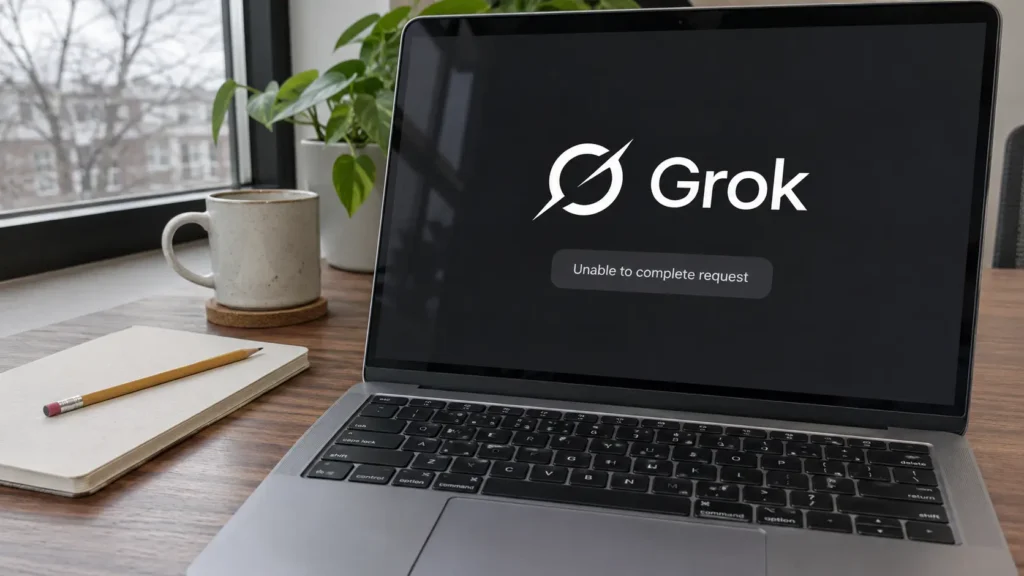
Start with the message Grok gave you. If Grok replied to a particular question and declined to help, check what you asked it to produce. If it showed a usage limit, asked you to verify your account, or failed before a reply appeared, follow that message first. Rewriting a paragraph of perfectly good instructions won’t fix an expired credential or a busy service.
People searching for “how to bypass Grok moderation” often have a more practical problem. A novelist wants dialogue, a researcher wants to summarize a public document, or a developer needs to explain a failed request to a customer. For a legitimate task, the quickest route is to identify the failure, clarify the intended output if necessary, and report a refusal that still appears mistaken.
Official guidance checked November 24, 2026. The prompts below are illustrative. They were not submitted to a live Grok model, and no model-specific test outcomes are claimed.
What did Grok actually tell you?
Before closing the tab, copy the exact message and note where it appeared. A sentence inside a chat, a banner on the account page, and a code in an API log give you different evidence. The descriptions below are paraphrases. Wording can vary by product.
| What you see | What it suggests | What to do first |
|---|---|---|
| Grok replies that it can’t help with part of a request | A refusal related to the requested output | Read which part it declined. Check whether you actually need that part. |
| A notice explicitly says that content was blocked | The service identified a moderation issue | Review the intended output against the use policy. Report a suspected mistake with a short example. |
| A message says you reached a limit or gives a reset time | A usage allowance or rate limit | Follow the displayed timing. API users should check their team’s model limits. |
| You see a lock, suspension, verification, or sign-in screen before you can chat | An account or eligibility issue | Use the instructions attached to that account notice. |
| The page stalls, an upload fails, or several unrelated requests return a generic error | The cause is still unclear | Save the message, check service status, and try one simple text-only request when service is available. |
A useful diagnostic question is “How far did my request get?” If you never reached the chat box, the wording of an unsent prompt cannot explain the failure. If Grok summarized a document and declined only your follow-up, focus on what the follow-up asks it to add. For service incidents, check the affected product and time on the official status page.
When a legitimate request looks like a moderation problem
A false positive is a permitted request incorrectly flagged as restricted. A refusal can suggest one, but the reply alone rarely gives you enough information to reconstruct the decision. Read the original request as someone unfamiliar with your project would read it. Does it say who the answer is for? Is it clear whether you want Grok to analyze existing material, invent a scene, or take an action involving a real person?
Suppose an editor asks, “Find out who wrote these anonymous comments and summarize the complaints.” That combines two jobs. The publication may need a summary of recurring complaints while having no editorial need to identify anyone. Asking for the themes alone preserves the useful work and respects the commenters’ privacy. Calling the original job “research” would still leave the identification request in place. The acceptable use policy sets boundaries around privacy, harm, and misuse.
Sometimes the brief is already clear. If Grok declines to alphabetize a list of invented character names, there is little value in repeatedly editing the names to guess what triggered it. Keep the list, the exact reply, and the intended result. That gives support a concrete example of a possible error.
Three ways to clarify a prompt without losing the task
Fiction: ask for the scene you intend to publish
Vague request: “Make the confrontation more threatening.”
Clearer request: “Write 180 words of dialogue between two fictional adult siblings arguing over the sale of their childhood home. Build tension through interruptions, unfinished sentences, and the sound of a key being set on the table. End when one sibling walks out.”
The second version gives the writer something they can actually judge. Does the exchange sound tense? Does the ending land? If you already have a draft, paste the few lines you want edited. A whole chapter may introduce unrelated characters and events that distract from the revision.
Research: distinguish quoting a claim from endorsing it
Vague request: “Make this rumor about the mayor convincing.”
Clearer request: “I’m preparing a media-literacy exercise. Using the public correction below, write three discussion questions that help students distinguish the original claim, the evidence the newspaper checked, and what its correction established. Use only the supplied text.”
That change matters because a persuasive rumor and a classroom exercise are different deliverables. If the source never establishes who started the rumor, ask Grok to mark that detail as unknown. Before distributing the exercise, check each answer against the correction yourself.
Customer support: give the pattern and remove the identifiers
Vague request: “Look into this customer and tell me why they keep complaining.”
Clearer request: “Group these anonymized ticket excerpts by delivery delay, duplicate charge, or unclear return instructions. For each group, suggest one change to our help page. Mark excerpts that don’t contain enough information to classify.”
Replace names and order numbers with labels such as “Ticket A.” Remove contact details, tracking links, and private notes before submitting anything. Keep details that change the analysis, such as whether the customer received two invoices or saw two completed charges. This preserves the distinction a support team needs to write an accurate answer.
Check which Grok product and account you’re using
Grok on X. X says Grok is available on its web, iOS, and Android services in countries where X is available. If you can sign in and receive replies, you can rate a response. X also provides separate settings for personalization and use of data for training. Those settings govern how interactions are used. X says you can still use Grok after opting out.
Standalone Grok. On grok.com or the mobile app, check the account you used to sign in, particularly if a paid feature appears to have disappeared. Grok’s FAQ says a subscription is tied to the purchasing account. Its consumer terms also set a minimum age of 13 or the minimum required in your country, with parental or guardian permission for users aged 13–17. If the notice concerns eligibility, follow its verification instructions. X’s published country statement describes Grok on X specifically.
Grok API. Start with the application log. Record the endpoint, model identifier, HTTP status, and error body. If your app displays the same “request blocked” message for every failure, the user-facing text has already discarded the detail you need. A developer can resolve the underlying problem while also giving future users a more accurate message.
What developers should check before changing a prompt
An HTTP 401 points to missing or invalid authentication. Verify that the application is loading the intended API credential and sending the required authorization header. A 429 means the service received more traffic than the applicable limit allows. Check the model limits in the team console, reduce bursts, and space retries progressively farther apart. A 422 calls for checking the format of fields in the request body. Each code suggests a different repair.
Video generation has a particularly useful edge case. A failed video job can return invalid_argument for several reasons, including unsupported duration, incompatible inputs, or moderation. Inspect the accompanying message and the submitted settings before describing the failure to a customer. If the message identifies an unsupported duration, correct that parameter. If it explicitly identifies moderation, review the requested media. A generic code alone leaves the cause unresolved.
For a repeatable test, write down the expected outcome first. “Return three category labels for these invented tickets” gives a developer a clear pass condition and keeps customer records out of logs. Teche Time’s guide to evaluating AI coding answers illustrates the same habit with small examples and observable results.
How to report a suspected false positive
Choose the route that matches the problem. A poor response, a dangerous output, and an account suspension each require different information.
- A mistaken refusal on X: Use the thumbs-down control on the response. X says submitted feedback can make the associated conversation available for training even if you previously opted out. Review what else is in the thread before sending it.
- A mistaken refusal in standalone Grok: Rate the response and explain what permitted result you expected. For a persistent product issue, contact support@x.ai. The three-dot Report Issue option is also documented specifically for reporting content that violates policy.
- A locked or suspended X account: Follow the account notice and use X’s account appeal form if you believe the restriction is mistaken. Describe the account action and when it appeared. X account appeals
- A reproducible API problem: Send a minimal request, response, and relevant redacted logs to support@x.ai. Include a request ID if available. Remove authorization headers, API keys, and user records from attachments.
Report checklist: Include the date, time zone, product, model or app version if visible, exact message, and expected result. State whether the problem happened once or repeatedly. A useful description would be: “On [date/time] in [product/version], I asked for three themes in the attached fictional tickets. I expected delivery, billing, and returns. The reply said [exact text].” A short redacted excerpt is usually enough to explain that task. Grok’s Share control can create a public link, so check what it exposes before using it. Grok conversation-sharing FAQ
FAQs
Is there a universal Grok bypass prompt?
No reliable universal prompt is documented in the official material reviewed. A screenshot of one successful answer establishes little about what a different model, account, or product will do. It also leaves open whether the original request was permitted all along. The published policy expressly restricts circumventing safeguards, with exceptions for officially authorized testing.
Does a single refusal mean my account is suspended?
A refusal inside a conversation is insufficient evidence of suspension. Check for an explicit account notice. If other ordinary requests work and you can still access account features, report the particular reply that caused concern. X provides a separate route for an actual account restriction.
Should I pay for a higher plan if Grok keeps refusing?
First check whether the message mentions an allowance, reset time, or unavailable feature. Those details give you something specific to check against your plan. A response that declines a particular task gives you no basis to assume that spending more will resolve it.
What if I can’t share the original prompt with support?
Describe the intended output and send a minimal example with invented details. Say whether that example produced the same failure. If it didn’t, distinguish what you observed with the original from what happened with the substitute. That distinction helps a reviewer assess the report while you protect confidential material.
Final Words
Save the exact message before changing anything. For an ambiguous writing or research request, describe the deliverable in terms you could hand to a colleague. For an account notice or API error, follow the evidence attached to that failure. And when a clearly permitted task still gets refused, a short, reproducible report is more useful than a string of guesses about which word Grok disliked.
For more practical walkthroughs of AI tools, visit Teche Time’s AI & Machine Learning guides.