
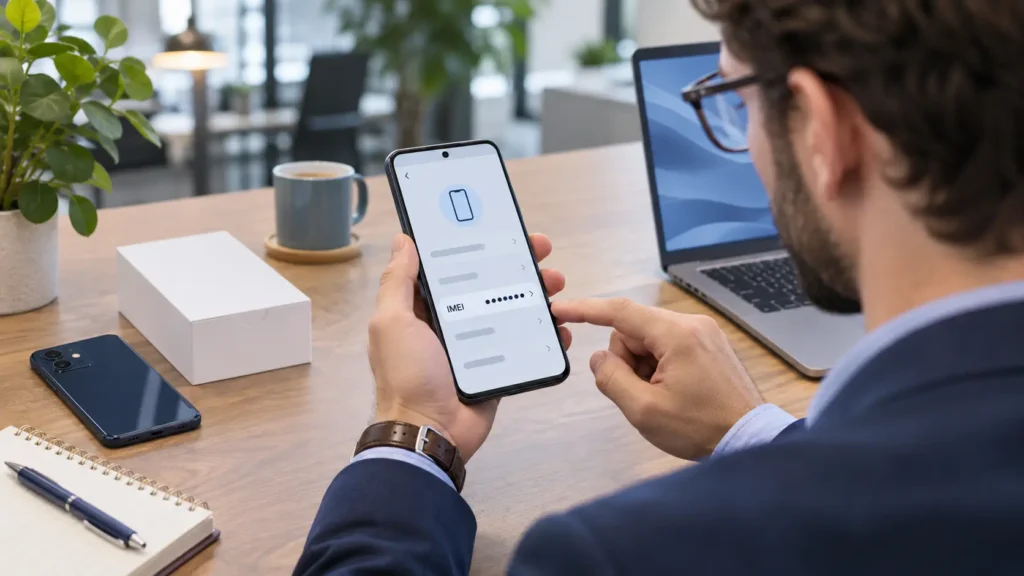
The quickest way to find an IMEI number is to open your phone’s dial pad and enter *#06#. On supported phones, the identifier appears automatically. You can also check Settings → General → About on an iPhone or Settings → About phone on many Android devices. If the phone is unavailable, try its original box, linked account, or carrier records.
You might need this number for a repair, insurance claim, carrier activation, or lost-phone report. The key is finding the identifier for the correct device—and choosing the correct entry if two IMEIs appear.
Quick Guide: Where to Look First
| Your situation | Best starting point |
|---|---|
| Phone works and you can unlock it | Enter *#06# or open Settings |
| Dial code does nothing | Use the device’s About screen |
| Phone is lost or unavailable | Check your linked Apple Account or Google Find Hub |
| Phone will not turn on | Check its box, purchase documents, or carrier records |
| You see IMEI 1 and IMEI 2 | Record both with their labels |
| You are buying a used phone | Check the number on the actual device |
Account-based methods depend on the device remaining associated with your account. Carrier records and physical labels vary by manufacturer, model, and region.
Use the Dial Code to Find Your IMEI
This is a useful first attempt because it avoids searching through menus.
- Open the phone’s built-in Phone app.
- Select the keypad.
- Enter
*#06#, including both asterisks and hash symbols. - Look for an entry labeled IMEI.
The information normally appears after the final character. You may also see barcodes, a serial number, or an EID. Copy the field specifically requested by your carrier or repair provider.
The code is widely supported, but it is not universal. Samsung notes that availability can depend on the carrier. If nothing happens, move to Settings rather than repeatedly trying the code. GSMA
Keep any screenshot private. Device-information screens can expose several identifiers at once.
How to Find an IMEI Number on an iPhone
Check Settings
- Open Settings.
- Tap General → About.
- Scroll to IMEI.
- Touch and hold the number to copy it.
See the label carefully: the serial number, EID, and ICCID are different identifiers.
Check an iPhone Before Setup
If the phone displays the Hello setup screen, tap the information button in the bottom-right corner to view its identifiers.
Check Through a Computer
Connect the iPhone to a computer. Open Finder on a current Mac, or Apple Devices on Windows, and select the phone. Click its phone-number information to reveal identifiers.
This requires the computer to recognize the device; it is not a dependable solution for a completely unresponsive phone. Apple Support (AU)
How to Find an IMEI Number on Android
Google Pixel
- Open Settings.
- Tap About phone.
- Find the IMEI entry.
Depending on the device configuration, entries may include SIM-slot labels. Record those labels alongside the numbers so you can distinguish them later. Google documents About phone as the settings location for Pixel IMEIs.
Samsung Galaxy
- Open Settings.
- Tap About phone.
- Find the listed IMEI information.
Another supported option is Samsung Members → Support → your device’s name, where available. Screens and options can differ by software version, model, and carrier.
Other Android Phones
Start by searching within Settings for IMEI. If that produces no result, look for About phone, About device, or a related device-information menu.
Do not assume a Samsung or Pixel tutorial exactly matches another manufacturer’s interface. Use the manufacturer’s support instructions for your precise model when the menus differ.
You do not need to install an unfamiliar “IMEI finder” app simply to read information that the phone already provides.
How to Find Your IMEI Without the Phone
A missing or broken device does not necessarily mean its identifying information is lost. Work through these options in order.
Check Your Apple Account
Visit account.apple.com and sign in with the account used on the iPhone. Open Devices, then select the phone to view its identifiers.
Alternatively, on another signed-in iPhone or iPad, open Settings → your name, scroll to the device list, and select the missing phone. Apple Support (AU)
Check Google Find Hub
For an Android device associated with your Google Account:
- Visit Google Find Hub.
- Sign in with the account used on the phone.
- Select the correct device.
- Open its Settings to look for the IMEI.
In the Find Hub app, select the device and tap its Settings icon. Google explicitly documents this as a way to retrieve an Android device’s IMEI. Older instructions may refer to the service as Find My Device.
Check carefully if several phones appear. Similar device names can make it easy to copy an old handset’s number.
If the phone is missing from the account, try another Google Account you used on it. If you cannot sign in, use the account provider’s recovery process and check your physical records meanwhile.
Look at the Original Box
Find the barcode label on the packaging and look for IMEI, IMEI 1, or IMEI 2. Manufacturers including Apple, Google, and Samsung identify packaging as a possible source. Apple Support (AU)
Make sure the box belongs to that exact phone. This matters particularly with secondhand purchases, refurbished devices, and households that keep several similar boxes.
After a replacement device or major repair, old paperwork may refer to the previous hardware. Tell the support provider about that history before relying on an older identifier.
Check Carrier and Purchase Records
Your carrier account, sales receipt, or device contract may include the IMEI. Availability varies; some records show only the model or serial number. samsung.com
If you contact support, have your account details and purchase information ready. Ask whether the listed IMEI belongs to the handset used on the line at the relevant time, especially if you recently changed phones.
Avoid posting account documents publicly while asking others to locate the number.
Can You Find the IMEI on the Phone’s Body?
Sometimes. Supported older devices may have it on the SIM tray, back, or beneath a user-removable battery. Physical placement is model-specific.
iPhone 14 models and later do not have an IMEI engraving, according to Apple. A blank tray on a newer device is therefore not automatically a problem. Apple Support (AU)
Only remove a battery if the device is designed for user battery removal. Do not pry open a sealed phone to search for a label.
Treat a removable tray as supporting evidence: a replacement tray may not belong to the original handset. When the phone works, use its own device-information screen.
What Does an IMEI Identify?
IMEI stands for International Mobile Equipment Identity. It is a 15-digit identifier used to identify mobile equipment on cellular networks. Carriers can also use it when applying device blocks. imeidb.gsma.com
Several identifiers can appear together, but they serve different purposes:
| Identifier | What it identifies |
|---|---|
| IMEI | Mobile equipment on a cellular network |
| Serial number | An individual product within the manufacturer’s records |
| ICCID | A SIM card or eSIM profile |
| EID | The embedded SIM hardware used for eSIM provisioning |
| Phone number | The telephone number associated with your service |
For example, an eSIM activation process might request both an IMEI and an EID. One cannot simply replace the other because both appear on the same screen. Google confirms that carriers may request IMEI 1, IMEI 2, or EID during SIM setup.
Why Does Your Phone Have Two IMEI Numbers?
Dual-SIM phones can display two IMEIs to support their cellular connections. This can involve physical SIM cards, eSIMs, or a combination, depending on the model.
Two IMEIs do not necessarily mean two subscriptions are active.
Save both numbers with their labels. If a carrier requests one for activation, follow its instructions rather than assuming IMEI 2 always means eSIM. Google notes that IMEI pairing on supported Pixels can depend on SIM setup and advises confirming with the carrier. Pixel Phone Help
For a lost-device report, tell the carrier that the handset has two identifiers and ask which details it needs.
Troubleshooting Missing or Rejected IMEI Information
The Number Is Rejected by a Form
Check these common causes:
- You copied the serial number, ICCID, or EID.
- You included spaces or punctuation.
- You entered the wrong IMEI for the requested connection.
- You copied an identifier from another device.
- You selected IMEISV, which is different from the standard IMEI.
A standard IMEI has 15 digits. IMEISV has 16 digits and includes software-version information. Do not arbitrarily remove digits to make an unfamiliar identifier fit.
Settings Shows “Unknown” or No Number
Restart the phone once, then check another supported method. If the device still reports no IMEI, particularly alongside cellular-service problems, contact the manufacturer or an authorized repair provider.
Do not factory-reset the phone just to search for this information. Avoid utilities promising to generate or rewrite an IMEI; they do not establish the device’s original identity.
A Tablet Has No IMEI
Check whether it is a cellular model. A Wi-Fi-only tablet generally has no IMEI because it does not connect to a cellular network. It can still have a manufacturer serial number.
When Is It Appropriate to Share an IMEI?
Share it privately when a legitimate organization needs to identify the device—for example, your carrier, manufacturer, insurer, or repair provider.
Before submitting it, confirm that you are using the organization’s genuine website or support channel. Avoid publishing the number in comments, marketplace photos, or social posts. If sharing a screenshot for troubleshooting, obscure the identifiers and their barcodes.
For secondhand purchases, ask the seller to show the IMEI on the actual phone and use a carrier-supported checking process where available. A clean block-list result means the identifier is not currently flagged in that database; it does not establish ownership or guarantee future status.
If you are preparing a working phone for handover, Teche Time’s guide to removing apps from iPhone and Android explains app deletion and data considerations. App removal alone is not a complete resale preparation process.
FAQs
Can I Find an IMEI Without a SIM Card?
Usually, yes. The IMEI identifies the mobile equipment, so removing a SIM does not remove the device’s identity. Use Settings or another supported lookup method. imeidb.gsma.com
Can an IMEI Track a Phone’s Live Location?
An IMEI alone does not give you access to a phone’s live location. Use the authorized account-based locating service, such as Google Find Hub, and contact your carrier about a missing device. An IMEI can support identification or blocking; it does not guarantee recovery. Pixel Phone Help
Can I Get the IMEI Using Only My Phone Number?
There is no general public lookup that reliably reveals it from a phone number alone. Your carrier may be able to help after verifying your account, depending on its records and policies.
Does Changing the SIM Change the IMEI?
Changing a SIM does not normally change the handset’s IMEI. The SIM and the mobile equipment have separate identities. On a dual-SIM device, however, you may need to confirm which IMEI is associated with the connection being activated. open-gateway.gsma.com
Final Words
Start with *#06# or your phone’s Settings. If the device is unavailable, check the linked account, original packaging, and carrier records.
Once you find the correct number, keep a private copy somewhere you can access without that phone. Label both entries on a dual-SIM handset, and share them only through a trusted channel when needed.