
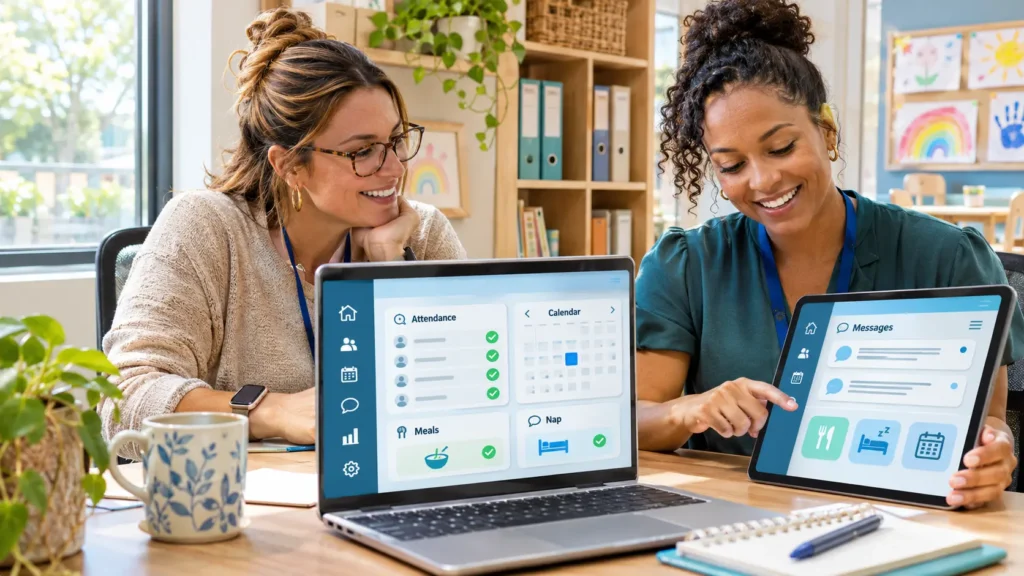
A good childcare app helps staff record attendance, update families, and manage paperwork without pulling attention away from children. The right choice depends on your biggest problem: missed messages, slow invoicing, scattered enrollment records, or time-consuming daily reports.
Brightwheel and Procare are strong starting points for broad daycare administration. Famly deserves attention for its regional packages, Lillio for classroom documentation and family engagement, and Storypark for learning portfolios and communication. These are different strengths, rather than a universal ranking.
This guide draws on official product pages and support documentation reviewed in November 2026. It does not claim hands-on testing. Prices, payment eligibility, and included features should be confirmed for your location before signing up.
Childcare Apps at a Glance
| App | Best starting point for | Provider pricing approach | Main consideration |
|---|---|---|---|
| Brightwheel | Attendance, communication, and tuition administration | Custom quote | Integrated payment processing is restricted geographically |
| Procare | Centers seeking broad business administration | Request current pricing | Confirm the exact product, modules, and payment setup |
| Famly | Nurseries and centers wanting regional packages | US child-count pricing; UK package pricing | Features and prices differ between markets |
| Lillio | Daily documentation and family engagement | Custom quote | Clarify which learning and administrative services are included |
| Storypark | Learning portfolios and family participation | Documentation plan starts at US$1.59 per child/month | Do not assume the entry package includes full financial management |
The product sections below explain the pricing context and practical tradeoffs.
What Does a Childcare App Do?
A childcare app connects the office, classroom, and families through shared records. Teachers might log a nap, parents might receive a daily update, and the director might review attendance or outstanding invoices.
A full management platform usually covers more administrative work than a communication app. Enrollment, billing, staff schedules, and financial reports may sit alongside messaging and photo sharing.
For parents, access normally starts with an invitation from their childcare provider. Downloading an app alone does not connect it to their child’s records.
These tools support organized care. They do not replace staff supervision, identity checks at pickup, or the procedures required by your local childcare authority.
5 Childcare Apps Worth Shortlisting
1. Brightwheel: For Connected Daily Operations
Brightwheel brings together check-in and checkout, parent messaging, photos, billing, admissions, and staff management. Its official pricing page also lists attendance reports, digital signatures, waitlists, staff scheduling, and personalized onboarding. Pricing is customized rather than published as a standard subscription amount.
It deserves a demonstration if your team currently moves between paper attendance sheets, messaging groups, and separate tuition records.
For example, a director could evaluate whether the same system handles a new enrollment, a recurring tuition schedule, and the family’s first daily update without repeated data entry.
Regional limitation: Brightwheel’s support documentation says providers outside the United States and Canada cannot process payments or receive deposits through its payment system. Access to other features should not be mistaken for worldwide payment availability. Brightwheel Help Center
Before choosing: Request an itemized quote and demonstrate your actual billing arrangements, including sibling discounts, deposits, and separate payers.
2. Procare: For Broad Childcare Administration
Procare covers family information, attendance, tuition collection, parent communication, and classroom management. It is a sensible candidate when the office needs a central administrative system rather than another standalone messaging channel.
Its current pricing request page directs providers to discuss their school or center with sales. Obtain a written proposal identifying the exact product and included capabilities instead of budgeting from an older advertised price.
A useful demonstration would follow one family from registration through attendance, invoicing, payment, and a final account statement.
Before choosing: Check how classroom updates connect with office records. Ask whether staff scheduling, payroll connections, payment processing, and advanced reports require additional services.
Providers outside its core US market should verify local onboarding, payment eligibility, currencies, and reporting suitability explicitly.
3. Famly: For Regional Packages and Family Communication
Famly offers communication, attendance, registration, and billing tools, but its commercial structure differs by country.
The US pricing page uses child-count pricing and displays an entry figure of US$49 per month. It lists automatic billing, waitlists, registration forms, photo updates, daily logs, and live translation. That figure is not a flat price for every center size.
The UK page lists Foundation at £79 per month, excluding VAT, with higher packages adding capabilities such as custom parent permissions, staff management, rotas, and live translation. Check the selected billing term and package before calculating annual costs.
Best fit: Providers who want family communication and administration together, with a package suited to their market.
Before choosing: Test your families’ actual languages. Message translation, interface translation, and translated documents are separate capabilities. Important care instructions still need human confirmation when wording is unclear.
4. Lillio: For Classroom Documentation and Family Engagement
Lillio, formerly HiMama, brings attendance, family communication, billing, and planning into one platform. Its wider offering includes curriculum and educator professional development.
It is worth shortlisting when teachers need a clearer way to document children’s days and share meaningful information with families.
Instead of judging the app by how many photos it can publish, test whether an educator can quickly record a meal, nap, or observation and send it to the correct family.
Lillio offers Android and iOS apps. Parent access is free for families at participating centers; providers pay a customized price based on their needs and size.
Before choosing: Clarify which curriculum, training, payment, and management services the quote includes. International providers should also verify settlement currencies, payment methods, and suitability for their local educational framework.
5. Storypark: For Learning Portfolios and Family Participation
Storypark is especially relevant when learning documentation and family engagement drive the purchase.
Its documentation and family engagement package starts at US$1.59 per child per month. The pricing page lists child portfolios, observations, planning, daily routines, and attendance, while also presenting separate all-in-one and multisite options. Family access is free.
This makes it a useful candidate for a preschool that already has financial software but wants stronger communication around children’s learning.
Storypark offers family apps for iOS and Android. Its help documentation lists English, Canadian French, German, Japanese, and te reo Māori for the Families app; check the current version for your device and region. Storypark Help Center
Before choosing: Confirm whether your regional package includes the billing and administrative functions you need. Do not treat the documentation starting price as the cost of a complete daycare business system.
Features That Matter During a Busy Day
Attendance and Authorized Pickup Records
A timestamp alone is not enough. Test whether staff can see who collected a child, who is authorized, and whether a permission has changed.
Ask the vendor to demonstrate:
- Separate accounts or identifiers for authorized adults.
- A history of attendance corrections.
- Clear handling of room transfers.
- A practical fallback when internet access fails.
Digital records support the handover process. Staff still need to verify the person collecting the child.
Messaging, Photos, Meals, and Naps
Daily updates should be quick to enter and easy for families to understand.
Check whether educators can record individual exceptions after a group activity. If most children ate lunch but one child declined it, a bulk entry should not create an inaccurate record.
Photo sharing needs equally careful controls. A family’s permission for private updates should not automatically become permission for public marketing.
Set expectations for messages, too. Families should know normal response hours and which phone number to use for urgent matters.
Enrollment, Billing, and Staff Scheduling
Enrollment tools should reduce repeated typing while keeping emergency contacts, authorized collectors, and consent records distinct.
For billing, test partial payments, credits, deposits, refunds, and split family accounts. An attractive invoice screen matters less than an accurate balance.
Staff scheduling also differs from time tracking. A planned rota does not prove that a qualified educator is physically in the room.
What Does a Childcare App Really Cost?
Free parent access does not mean free software for the provider. Likewise, a free app download says little about subscriptions or transaction fees.
Ask for a twelve-month estimate that separates:
| Cost | What to clarify |
|---|---|
| Subscription | Per center, location, child, or package? |
| Enrollment basis | Active children, registered children, or licensed capacity? |
| Payment processing | Percentage fees, fixed fees, refunds, and failed payments? |
| Optional features | Payroll, curriculum, translation, reporting, or extra storage? |
| Setup | Data migration, training, tablets, and check-in equipment? |
| Contract | Renewal increases, cancellation notice, and export charges? |
Processing fees can exceed the subscription. As a hypothetical example, a 2.5% fee on US$20,000 of monthly tuition is US$500 before any fixed transaction charges.
For background on settlement and transaction costs, read a guide to payment processing companies. Confirm which processors your childcare platform actually supports before selecting one separately.
Check Regional Fit Before Paying
An app being downloadable in your country does not establish that its payment or reporting features work there.
Ask the vendor to confirm:
- Currencies: Subscription currency, tuition invoice currency, and bank settlement currency.
- Payment methods: Local cards, bank debits, transfers, or manual payment recording.
- Languages: Staff interface, parent interface, message translation, and support.
- Recordkeeping: Required fields, signatures, retention settings, and downloadable reports.
- Support: Working hours, onboarding availability, and escalation routes.
Bring a sample of your current required records to the demonstration. Ask the vendor to reproduce them using fictional data. A generic “compliance report” may not contain what your local authority expects.
Protect Children’s Information and Keep Records Portable
Start with permissions. Teachers need relevant classroom information; finance staff need billing access; families should see only records they are authorized to access.
Ask vendors about multifactor authentication, encryption, audit logs, backups, hosting locations, and subcontractors that handle data. Request written explanations rather than relying on a security badge.
Photo consent should be easy to record and update. Test how staff are alerted before sharing a group photo containing a child whose permissions differ.
Finally, test an export before signing. Check whether you can retrieve attendance, invoices, consent records, incident documentation, messages, and learning records in usable formats. An account summary PDF is not the same as a complete archive.
Run a Small Pilot Before a Full Rollout
Start with one classroom and a small group of consenting families.
Use fictional records first, then test ordinary tasks: checking in a child, logging a nap, updating pickup authorization, sending a message, and correcting an invoice.
Try the app on the Android phones, iPhones, tablets, and office browsers your users actually have. Check notification behavior and accessibility, not just whether installation succeeds.
Create a short onboarding video with demonstration data. This screen recording software guide can help you choose a tool for this.
Measure time spent entering information, correcting mistakes, and helping families. The best system should make routine work easier without encouraging unnecessary screen time.
FAQs
What is the best childcare app for a small daycare?
Start with your essential tasks and total annual cost. Brightwheel, Procare, Famly, and Lillio merit consideration for broader administration; Storypark is relevant when learning documentation and family communication are the priority.
Are childcare apps free for parents?
Some are. Lillio and Storypark explicitly offer free family access. Provider subscriptions and any payment-related charges are separate, so families should ask their center what applies.
Can a childcare app replace WhatsApp groups?
It can provide a dedicated channel for center messages and child-specific updates. The benefit depends on account permissions, staff adoption, and whether families consistently use it.
Do childcare apps work without internet?
Do not assume so. Ask which actions work offline, how records synchronize, and what happens if two people make conflicting changes. Keep a workable attendance and emergency-contact fallback.
Can parents choose a different app from the daycare?
Usually, the provider selects the platform connected to its records. Parents can request improvements, but installing a different app will not transfer the center’s information automatically.
Final Words
Choose the childcare app that handles your real working day: a busy arrival period, a changed pickup arrangement, an individual care update, and a complicated invoice.
Shortlist two providers, test the same scenarios, and request complete regional pricing. The strongest choice is the one your staff and families can use consistently while keeping records accurate and access controlled.