
A production order can stop because of a missing washer, an incorrect cable length, or a component that changed after purchasing placed its order. The product design may be correct, but the information used to build it is incomplete.
A bill of materials, or BOM, is a structured record of the materials, components, and subassemblies needed to make a defined quantity of a product. It identifies each item, its required quantity, and where it belongs in the product structure.
For a straightforward product, an Excel or Google Sheets file can be a useful starting point. The essential work is defining quantities clearly, checking the list against the design, and controlling changes before production uses it.
What Is a Bill of Materials?
A bill of materials describes what goes into a product. Its scope might cover one finished unit, a batch, or a specific assembly.
A subassembly is a group of components assembled together before becoming part of a larger product. For example, a wheel assembly might contain a wheel, axle, bearings, and retaining clips.
The BOM connects those relationships. It lets engineering identify the intended components, procurement calculate material demand, and production check what should be available before work begins.
However, a BOM does not replace every manufacturing document:
| Document | Main purpose |
|---|---|
| Bill of materials | Identifies required items and quantities |
| Drawing or specification | Defines dimensions, materials, tolerances, and technical requirements |
| Routing | Defines manufacturing operations, their sequence, and associated resources |
| Work instruction | Explains how to perform a particular task |
| Inventory record | Shows stock quantities, locations, and availability |
Some manufacturing systems connect these records closely. Keeping their purposes clear helps prevent a parts list from becoming an incomplete substitute for assembly instructions.
Main Types of BOM
BOM terminology describes both purpose and structure. An engineering BOM can be multilevel, for example; these are not competing categories.
Engineering bill of materials
An engineering bill of materials, or EBOM, represents the product as designed. It typically follows the engineering assembly structure and references relevant drawings or design specifications.
Its main question is: What components define this product’s design?
Manufacturing bill of materials
A manufacturing bill of materials, or MBOM, represents the product as it will be built. Manufacturing teams may reorganize the engineering structure to reflect production assemblies and include required packaging or consumed materials within the defined scope.
Its main question is: What materials must production have to build and complete this product?
PTC’s product structure documentation explains how manufacturing engineers restructure an EBOM around manufacturing needs. Treating the two as automatically identical can leave production requirements unrecorded.
Service BOM
A service BOM organizes parts and assemblies needed for maintenance and repair. It may identify a replacement module as one service item even when manufacturing builds that module from several components.
PTC distinguishes engineering, manufacturing, and service BOM views because each supports a different stage of the product lifecycle.
Single-level and multilevel BOMs
A single-level BOM lists the immediate components of one assembly. A multilevel BOM also shows the components inside its subassemblies.
For example:
- Finished trolley: two wheel assemblies and one frame.
- Each wheel assembly: one wheel, one axle, and two bearings.
- Total bearings per trolley: two assemblies × two bearings = four bearings.
Odoo’s multilevel BOM documentation describes this nested structure and its usefulness when subassemblies appear in multiple finished products.
A flattened report can total components for purchasing, but retain the underlying assembly relationships. Otherwise, a later design change becomes harder to trace.
What Information Should a BOM Contain?
Start with enough information for another person to identify and quantify every component without guessing.
| Field | What to record |
|---|---|
| Product or assembly ID | Unique identifier for the item being made |
| BOM revision and status | Revision identifier; draft, released, or obsolete |
| Output quantity | Quantity the BOM produces, such as one unit or a batch of 100 |
| Parent assembly | Assembly that directly contains the component |
| Component ID | Stable internal part number |
| Description | Clear name and essential specification |
| Quantity | Amount required for the stated parent output |
| Unit of measure | Each, metre, kilogram, litre, or another defined unit |
| Component revision | Required revision where applicable |
| Make or buy | Whether the item is manufactured internally or purchased |
| Reference | Relevant drawing, specification, or approved document |
| Approval and effectivity | Who authorized the BOM and when it applies |
Supplier names, lead times, approved substitutes, and unit costs can be useful supporting fields. For larger systems, maintain these in linked records rather than copying them into every BOM.
A supplier’s catalogue number should not be your only component identifier. Suppliers can change while your internal part identity remains the same.
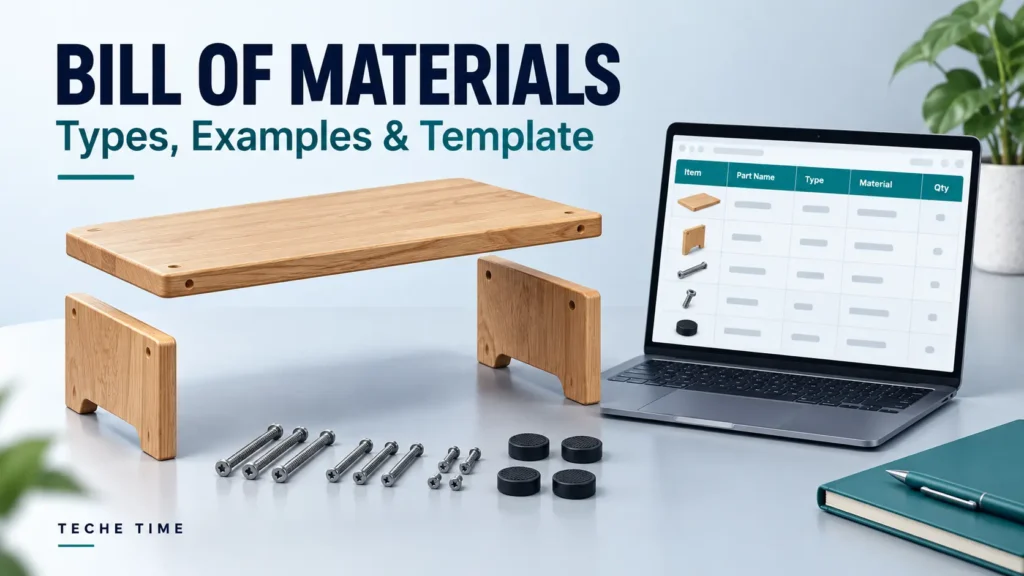
Bill of Materials Example: A Desktop Monitor Stand
The following illustrative example describes one flat-pack monitor stand made from purchased, finished components. It is not a tested product design, load-rated specification, or supplier quotation.
Product: Desktop monitor stand
Product ID: MS-100
BOM revision: A
Output quantity: 1 finished kit
Currency: USD
Unit: “Each” means one individual item.
| Component ID | Description | Quantity | Unit | Illustrative unit cost | Extended cost |
|---|---|---|---|---|---|
| TOP-001 | Finished top panel, 600 × 250 × 18 mm | 1 | Each | $12.00 | $12.00 |
| LEG-001 | Finished side support | 2 | Each | $4.00 | $8.00 |
| SCR-001 | Specified assembly screw | 8 | Each | $0.08 | $0.64 |
| PAD-001 | Self-adhesive protective foot | 4 | Each | $0.15 | $0.60 |
| BOX-001 | Shipping carton | 1 | Each | $1.20 | $1.20 |
| INS-001 | Printed assembly instructions | 1 | Each | $0.10 | $0.10 |
| Total | $22.54 |
The abbreviated descriptions would need linked drawings or specifications before production release. “Assembly screw,” for example, needs a defined diameter, length, head type, and material.
Calculating material requirements
For 50 stands, the nominal requirement is:
- 50 top panels.
- 100 side supports.
- 400 screws.
- 200 protective feet.
- 50 cartons.
- 50 instruction sheets.
The illustrative component cost is 50 × USD 22.54 = USD 1,127.00.
That is not the complete manufacturing cost. It excludes labor, equipment time, freight, taxes, overhead, and losses.
It is also not automatically the purchase order quantity. Purchasing must consider usable stock, existing reservations, expected receipts, supplier pack sizes, and minimum order quantities.
Avoiding double-counted costs
This example purchases finished panels. If you make those panels internally, create a panel subassembly BOM for raw stock and relevant materials.
When rolling up costs, use either the calculated panel cost or its underlying material costs at the appropriate level. Adding both counts the same material twice.
A Copyable BOM Template
Copy these tables into Excel or Google Sheets. The example structure assumes each parent assembly BOM produces one unit; record a different output basis explicitly if needed.
BOM header
| Header field | Your entry |
|---|---|
| Product name | |
| Product ID | |
| BOM revision | |
| Output quantity and unit | |
| Status | Draft |
| Prepared by | |
| Approved by | |
| Effective date, batch, or serial range | |
| Drawing or specification reference |
Component table
| Level | Parent ID | Component ID | Description | Qty per parent | Unit | Component revision | Make/buy | Reference or notes |
|---|---|---|---|---|---|---|---|---|
| 1 | PRODUCT-001 | PART-001 | [Direct component] | 1 | Each | A | Buy | |
| 1 | PRODUCT-001 | ASSY-001 | [Subassembly] | 2 | Each | A | Make | |
| 2 | ASSY-001 | PART-002 | [Subassembly component] | 4 | Each | A | Buy |
Here, the finished product requires eight PART-002 components: two ASSY-001 subassemblies, each containing four.
“Level” indicates depth; Parent ID establishes the relationship. Indentation alone is unreliable because sorting a spreadsheet can separate rows.
For basic costing, add columns for unit cost, currency, cost date, and extended cost. Calculate extended cost as quantity multiplied by unit cost only after confirming the quantity and price use matching units.
How to Create and Maintain a BOM
Before starting, gather the current design, assembly drawings, component specifications, and packaging requirements. Identify someone who can resolve missing technical details.
1. Define the product and output basis
Specify the exact product, configuration, and quantity covered.
A BOM for one chair is different from a BOM for ten chairs. Likewise, a black housing and a white housing may require separate configurations even when every other component matches.
Write the output basis in the header before entering component quantities.
2. Break the product into assemblies
List the finished product’s immediate components, then expand manufactured subassemblies.
Use separate subassembly records when an assembly is built, stocked, reused, or revised independently. Avoid creating extra levels solely to make the sheet look organized.
For a purchased sealed module, internal parts may be unnecessary for production planning because you procure the complete module.
3. Assign component identifiers
Give each distinct item a stable ID. Reuse an existing identifier when the same approved component appears elsewhere.
Descriptions such as “small screw” or “standard cable” leave too much open to interpretation. Link to specifications that distinguish otherwise similar items.
4. Enter quantities and normalize units
Record consumption in a defined unit. Keep supplier purchase units separately when necessary.
If one product consumes 250 mm of cable but inventory records metres:
250 mm ÷ 1,000 = 0.25 m per product.
For 40 products, the nominal requirement is 10 m.
Do not convert kilograms to litres without a suitable material density. Likewise, “one sheet” needs defined dimensions before it can support area-based calculations.
5. Record losses and substitutions explicitly
Distinguish nominal consumption from planned scrap or cutting allowance. Do not silently increase a component quantity and leave future users guessing why.
If a process has a 95% yield, the input needed for 100 good units is approximately 100 ÷ 0.95 = 105.26 units, before appropriate rounding. This differs from simply adding 5%.
For sheet or bar stock, cutting layouts may be more useful than a blanket percentage.
List substitutes only after technical approval. Similar dimensions do not establish equivalent performance.
6. Validate the BOM against a build
Walk through an assembly or supervised trial build using the draft BOM.
Check for missing fasteners, labels, adhesives, protective packaging, and documentation. Confirm that listed quantities match consumption and that specifications identify the intended parts.
The expected result is a list that supports the build without undocumented material substitutions or unexplained leftovers.
7. Release a controlled revision
Assign a revision, obtain approval, and define when it becomes effective. Keep draft changes separate from the released version.
For spreadsheets, protect released data and maintain a change log containing:
- Previous and new revision.
- What changed and why.
- Requester and approver.
- Effective date, production batch, or serial range.
- Treatment of existing stock and work in progress.
A saved file history helps recover edits, but it does not by itself prove that a change was approved.
8. Review changes across affected products
When a shared component changes, identify every assembly that uses it. This is often called a where-used check.
Decide whether existing orders retain the earlier revision or move to the new one. A purchasing team needs that decision before replacing a component on an open order.
When Is a Spreadsheet Enough?
Excel or Google Sheets can work for simple product structures, limited variants, and a manageable approval process.
The warning signs are operational: people cannot identify the released version, shared components require repeated manual edits, or stock calculations depend on disconnected files.
Dedicated systems address different needs:
| System | Main role |
|---|---|
| Manufacturing software | Connects product structures with production execution |
| MRP: material requirements planning | Calculates material needs using demand, BOMs, inventory, and timing |
| ERP: enterprise resource planning | Connects manufacturing with purchasing, inventory, finance, and other operations |
| PLM: product lifecycle management | Controls product definitions, revisions, and engineering changes |
For example, Odoo documents nested BOM structures. MRPeasy’s BOM manual documents BOM editing, CSV import/export, and bulk component changes, with an exception for Matrix BOM CSV transfers. These are examples of capabilities to investigate, not a software ranking.
When BOM data needs to connect with inventory, purchasing, and production planning, see Good ERP Software: How to Choose the Right ERP System for Your Business.
Before choosing software, ask for a demonstration using your own multilevel product, a component substitution, and a revision affecting an open production order.
Create Your First Released BOM
Choose one product and complete the template with component IDs, quantities, units, and parent relationships. Check it against the design and a trial build, then assign a revision and an approver.
Your first milestone is practical: another person should be able to identify the correct materials and quantities without relying on information that exists only in your head.